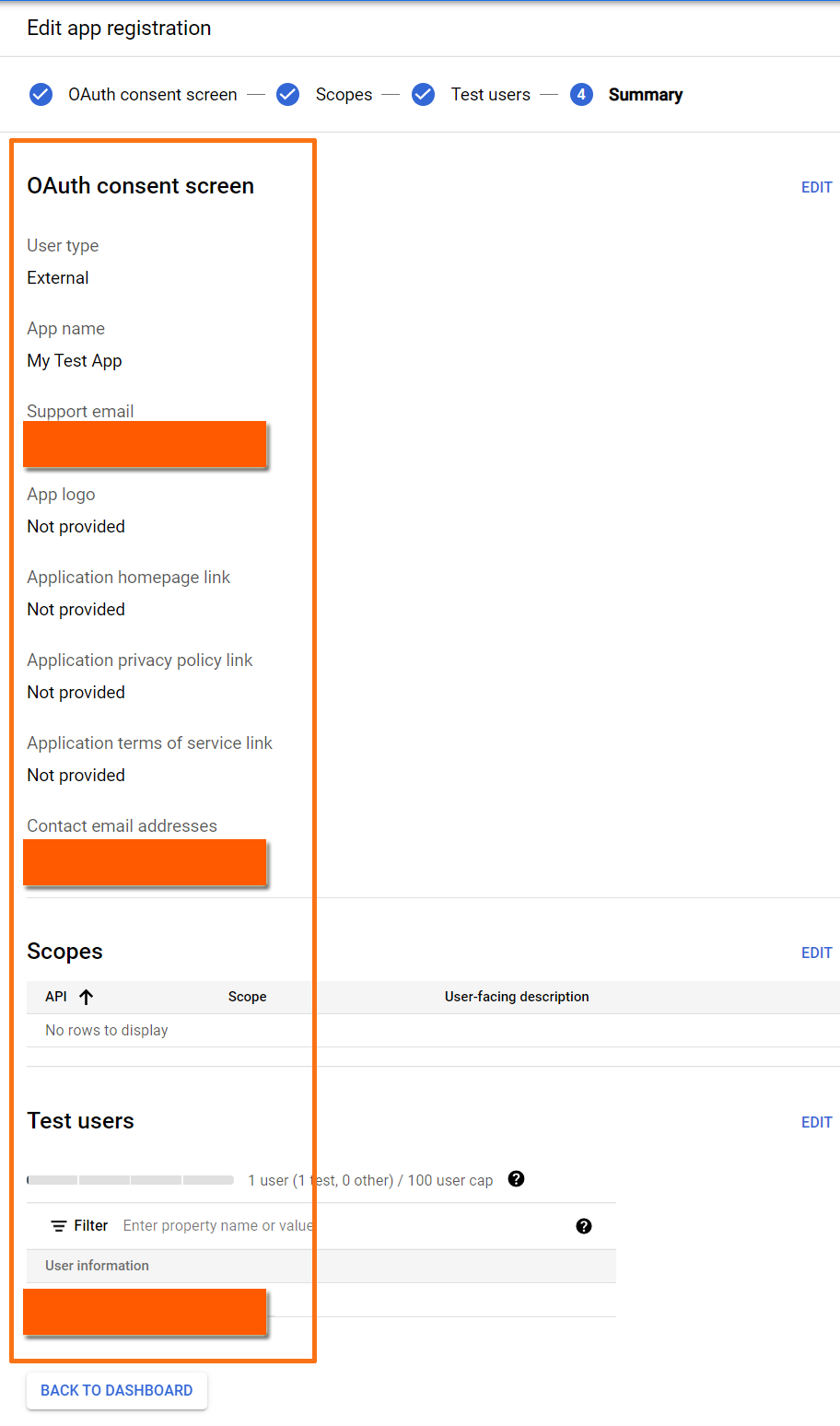
Part of creating an “external” web application to make use of the Google Sheets, users must give consent to your web application, and in order to do that, Google OAuth Consent Screen needs to be set up where the consent can be accepted or denied.
Google OAuth Consent Screen is the screen that Google displays to the user that is requesting a consent for the requested scopes of access together with the summary of the project and its policies. It is required for creating the credential for OAuth 2.0 Client IDs.
Requirements:
- Google Account
- Google Cloud Project
Step 1.
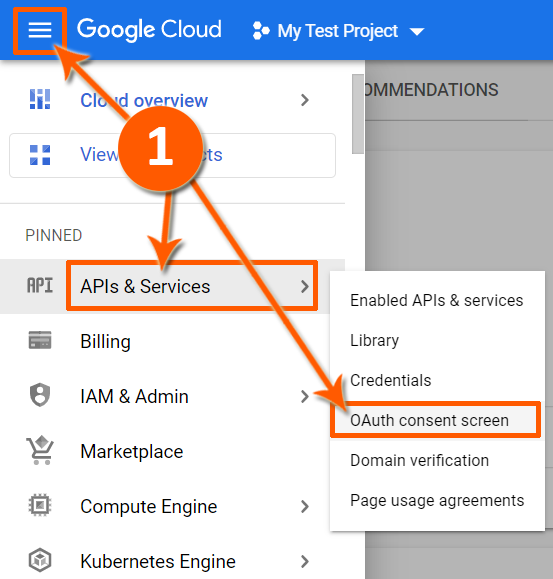
Click the following
- Navigation Menu
- APIs & Services
- OAuth consent screen
Step 2.
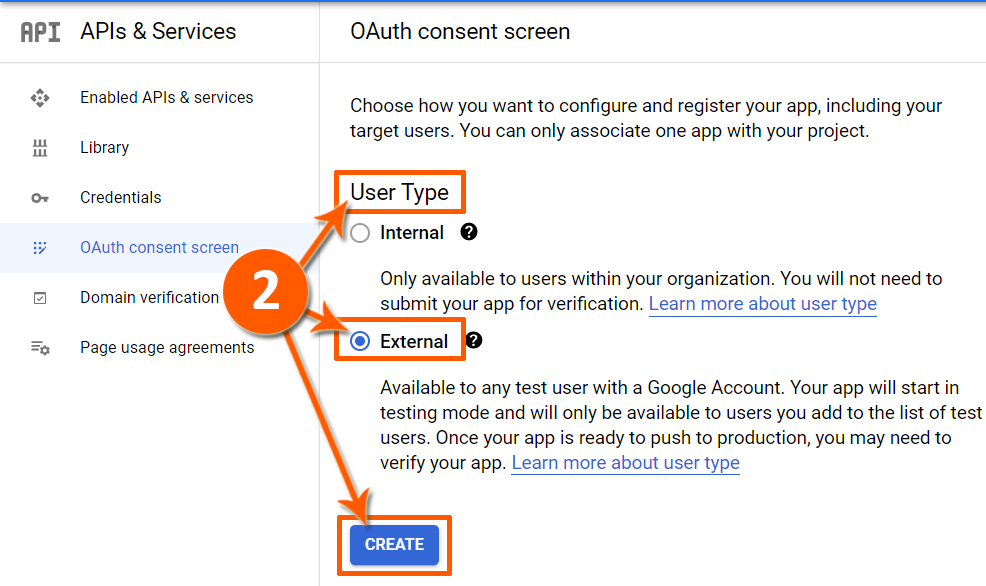
Click “External” under “User Type“, and then click “CREATE“.
This is for testing purposes, later you can decide and select which “User Type” fits your software application requirements.
Step 3.
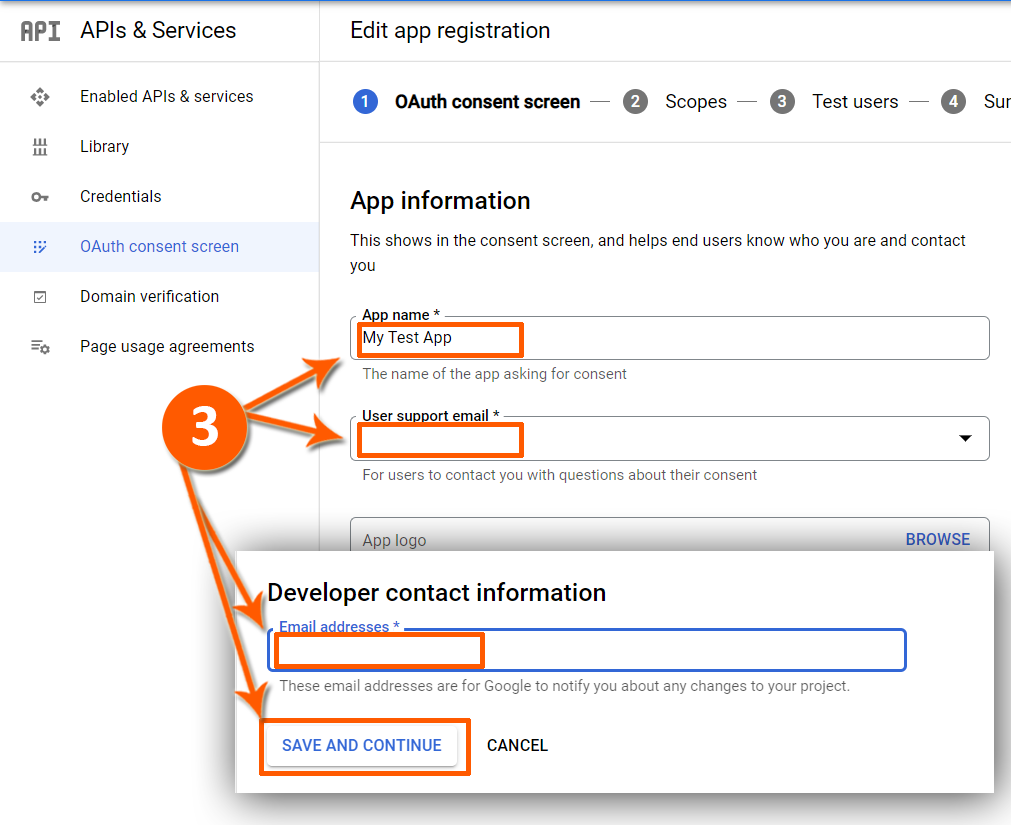
Input the following.
- App name (under the “App information“)
- User support email (under the “App information“)
- Email address (under the “Developer contact information“)
Click “SAVE AND CONTINUE“.
For this test, fill up only those required fields.
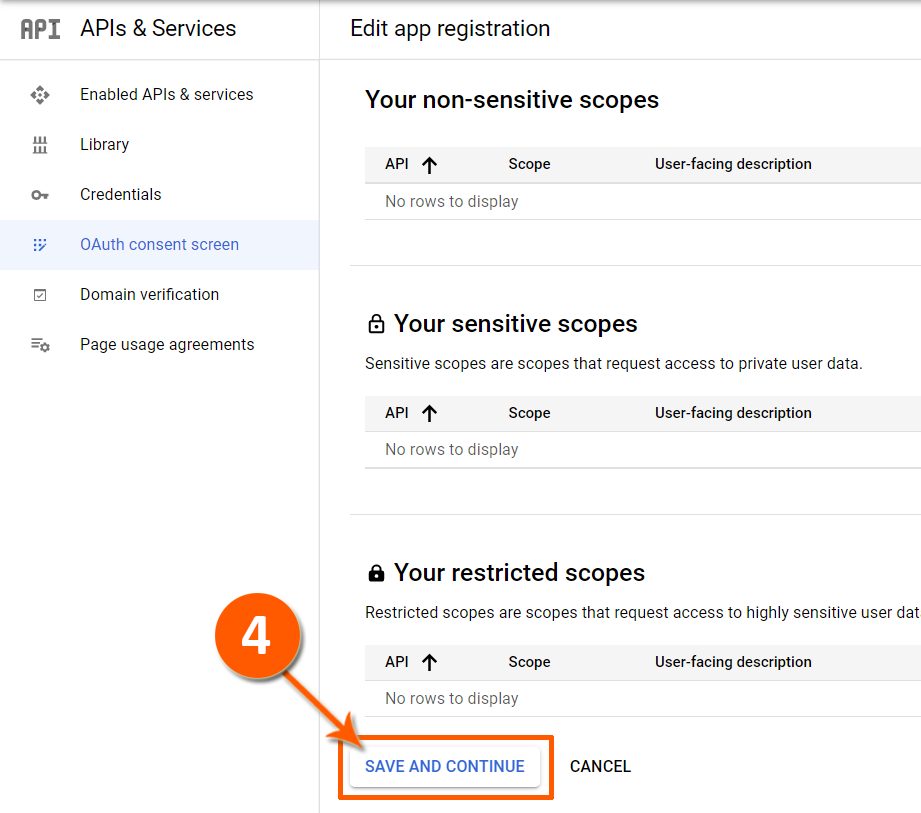
Step 4.
Click “SAVE AND CONTINUE” (under “Scopes“).
Leave other fields for this tab for this test.
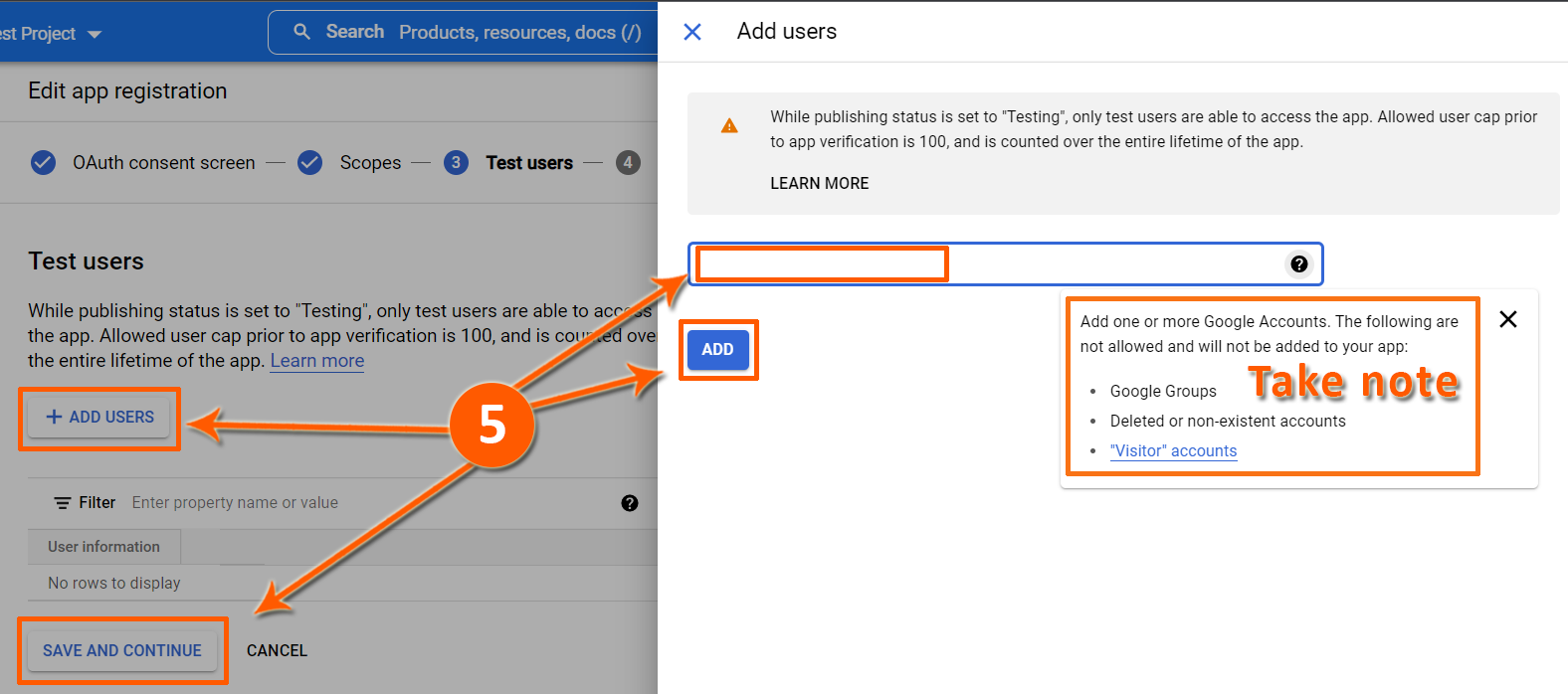
Step 5.
- Click “ADD USERS“.
- Input the email address.
- Click “ADD“.
- Click “SAVE AND CONTINUE“.
Done.
A Google OAuth Consent Screen has been created.