This article shows how to list worksheets in Excel files with the latest version of PhpSpreadsheet, using plain PHP. It also covers loading only the sheet you want. When a workbook arrives from somewhere else, you rarely know what is inside it. In fact, you do not know its sheet count, their names, or which one holds your data. Opening the whole file to find out is the expensive way to answer a cheap question.
The reader can answer that before loading anything, because it can list worksheets in Excel files without opening them. listWorksheetNames() returns the sheet names on their own. listWorksheetInfo() returns one entry per sheet with its dimensions: rows, columns, last cell. In addition, it still reads no values at all. Once you know which sheet you want, setLoadSheetsOnly() tells the reader to skip the rest as it parses. So the sheets you do not need never reach memory.
That last call is the payoff. It pairs naturally with reading large Excel files in chunks. While that technique limits how many rows you load, this one limits how many sheets. And once you have loaded a sheet, working with multiple worksheets covers what to do with it.
Requirements to list the worksheets in an Excel file:
- Composer
- PHP 8.2 or newer
Step 1.
First, set up the dependencies. Here we pin the latest major release of PhpSpreadsheet (the 5.x line).
{
    "require": {
        "phpoffice/phpspreadsheet": "^5.0"
    }
}
Step 2.
Next, install phpspreadsheet.
$ composer install
Step 3.
Then create a new PHP file. You only need IOFactory — everything here happens on the reader, not on a spreadsheet you loaded.
<?php

require 'vendor/autoload.php';

use \PhpOffice\PhpSpreadsheet\IOFactory;

$inputFile = 'workbook.xlsx';

$reader = IOFactory::createReaderForFile($inputFile);
Step 4.
Ask for the sheet names. listWorksheetNames() takes the filename — not a loaded object — and returns a plain array of strings in workbook order. Each name’s index is the one you would pass to setActiveSheetIndex() later. So printing them together is worth the extra line.
// The names alone. This does not load a single cell.
$names = $reader->listWorksheetNames($inputFile);

echo "Sheets in {$inputFile}:\n";
foreach ($names as $i => $name) {
    echo "  [{$i}] {$name}\n";
}
Step 5.
Ask how big each sheet is. listWorksheetInfo() returns one array per sheet, each with worksheetName, totalRows, totalColumns, lastColumnLetter and lastColumnIndex. It reads the dimensions the file already records rather than counting cells. So it stays fast on a workbook of any size. It also reports every sheet, which is what makes it useful for deciding which one to open.
// One entry per sheet, with its dimensions - still without loading the cells.
echo "\nSize of each sheet:\n";
foreach ($reader->listWorksheetInfo($inputFile) as $info) {
    printf(
        "  %-10s %5d rows x %2d cols (last cell %s%d)\n",
        $info['worksheetName'],
        $info['totalRows'],
        $info['totalColumns'],
        $info['lastColumnLetter'],
        $info['totalRows']
    );
}
Step 6.
Now load just the sheet you want. setLoadSheetsOnly() accepts a name or an array of names, and applies to every load() that follows on this reader. The saving is real: the reader never parses the skipped sheets into cell objects at all. So a workbook whose bulk sits in one unwanted sheet costs almost nothing to open.
// Load ONLY the sheet you want. The reader skips everything else as it parses.
$reader->setLoadSheetsOnly('Notes');
$spreadsheet = $reader->load($inputFile);

printf(
    "\nLoaded only 'Notes': %d sheet in memory (%s), %.2f MB peak.\n",
    $spreadsheet->getSheetCount(),
    implode(', ', $spreadsheet->getSheetNames()),
    memory_get_peak_usage(true) / 1048576
);
To go back to loading everything, pass null — $reader->setLoadSheetsOnly(null) clears the restriction.
Complete code to list the worksheets in an Excel file.
<?php

require 'vendor/autoload.php';

use \PhpOffice\PhpSpreadsheet\IOFactory;

$inputFile = 'workbook.xlsx';

$reader = IOFactory::createReaderForFile($inputFile);

// The names alone. This does not load a single cell.
$names = $reader->listWorksheetNames($inputFile);

echo "Sheets in {$inputFile}:\n";
foreach ($names as $i => $name) {
    echo "  [{$i}] {$name}\n";
}

// One entry per sheet, with its dimensions - still without loading the cells.
echo "\nSize of each sheet:\n";
foreach ($reader->listWorksheetInfo($inputFile) as $info) {
    printf(
        "  %-10s %5d rows x %2d cols (last cell %s%d)\n",
        $info['worksheetName'],
        $info['totalRows'],
        $info['totalColumns'],
        $info['lastColumnLetter'],
        $info['totalRows']
    );
}

// Load ONLY the sheet you want. The reader skips everything else as it parses.
$reader->setLoadSheetsOnly('Notes');
$spreadsheet = $reader->load($inputFile);

printf(
    "\nLoaded only 'Notes': %d sheet in memory (%s), %.2f MB peak.\n",
    $spreadsheet->getSheetCount(),
    implode(', ', $spreadsheet->getSheetNames()),
    memory_get_peak_usage(true) / 1048576
);
Test listing the worksheets in an Excel file.
Command line testing.
$ php list-sheets.php
Result of listing the worksheets in an Excel file.
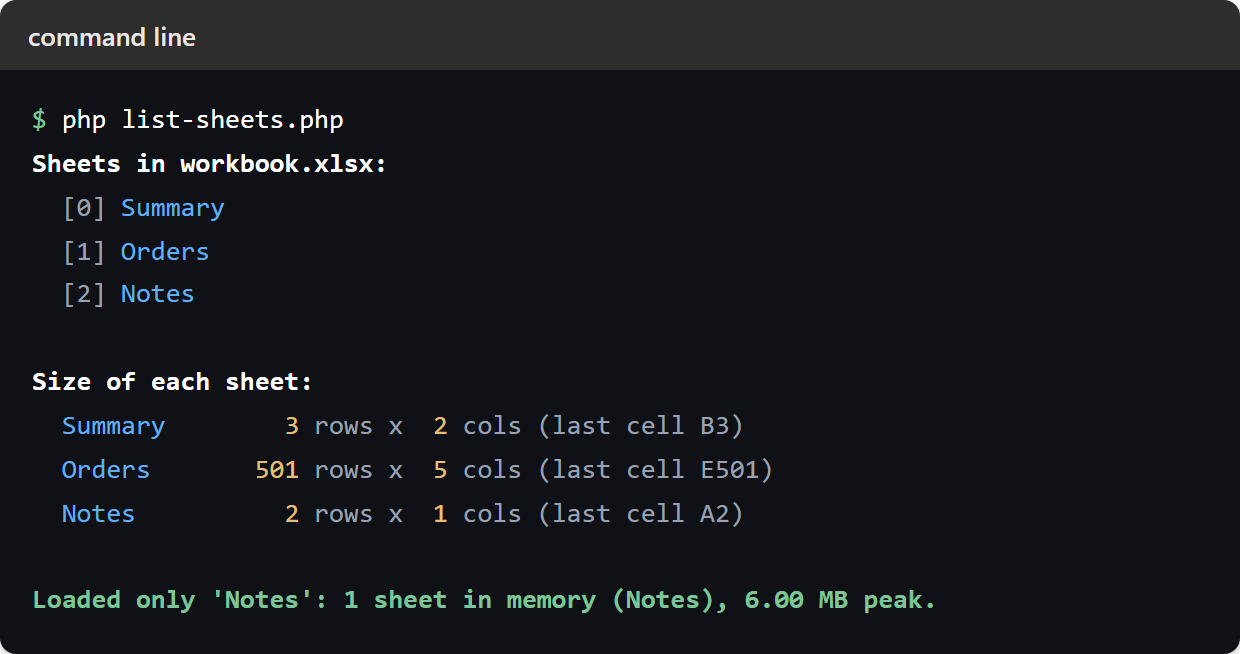
The workbook here has three sheets of deliberately different sizes. There is a small Summary, then an Orders sheet of 500 records, and finally a two-line Notes. The script uses the reader to list worksheets in Excel and reports all three, sized, before choosing one to open.
$ php list-sheets.php
Sheets in workbook.xlsx:
  [0] Summary
  [1] Orders
  [2] Notes

Size of each sheet:
  Summary        3 rows x  2 cols (last cell B3)
  Orders       501 rows x  5 cols (last cell E501)
  Notes          2 rows x  1 cols (last cell A2)

Loaded only 'Notes': 1 sheet in memory (Notes), 6.00 MB peak.
The last line is the one to notice. The workbook contains three sheets and 500 order rows, but the reader loaded only Notes. So getSheetCount() reports 1, and the Orders sheet never became cell objects. Everything above that line came back without loading anything at all. Of course, that is the whole point of asking the reader instead of the spreadsheet.