This article shows how to download several Excel files as one ZIP in PHP with the latest version of PhpSpreadsheet. Sending one workbook to the browser is a solved problem. However, the moment a report splits per region, per month or per customer, you need to hand the reader a single archive instead of a page full of links.
The trick is knowing what you cannot do. You cannot call $writer->save('php://output') three times, because the browser would receive three .xlsx files glued end to end — one unreadable stream, not three workbooks. Instead, each workbook must become a real file first. Then PHP’s ZipArchive collects those files, and only the finished archive is streamed.
So the shape is: build, save, add, close, send, clean up. Below we generate three regional sales workbooks, wrap them in reports.zip, and send that with the same header discipline as downloading a single Excel file in the browser. In addition, this version can send a real Content-Length, which the single-file streaming version could not.
Requirements to download several Excel files as one ZIP:
- Composer
- PHP 8.2 or newer
- The
gdandzipextensions
PhpSpreadsheet 5 lists ext-gd and ext-zip as hard requirements, so composer install refuses to run without them. Here zip earns its place twice over, because ZipArchive comes from that same extension. Tested with PhpSpreadsheet 5.9 on PHP 8.5.
Step 1.
First, set up the dependencies. Here we pin the latest major release of PhpSpreadsheet (the 5.x line).
{
    "require": {
        "phpoffice/phpspreadsheet": "^5.0"
    }
}
Step 2.
Next, install phpspreadsheet.
$ composer install
Step 3.
Then create a new PHP file. Load Composer’s autoloader and import the Spreadsheet class and the Xlsx writer. Notice that ZipArchive needs no import, because it is a built-in PHP class rather than a PhpSpreadsheet one.
<?php

require 'vendor/autoload.php';

use PhpOffice\PhpSpreadsheet\Spreadsheet;
use PhpOffice\PhpSpreadsheet\Writer\Xlsx;
Step 4.
Define the reports. Each key becomes a filename inside the archive, and each value is the grid for that workbook. In a real application this is whatever your query returns.
$reports = [
    'north' => [
        ['Rep', 'Units', 'Revenue'],
        ['Alice', 120, 4800],
        ['Bob', 90, 3600],
    ],
    'south' => [
        ['Rep', 'Units', 'Revenue'],
        ['Carol', 150, 6000],
        ['Dan', 70, 2800],
    ],
    'east' => [
        ['Rep', 'Units', 'Revenue'],
        ['Erin', 200, 8000],
    ],
];
Step 5.
Create a scratch directory for this request alone. A random name matters here, because two visitors clicking the same button at the same moment must not share a folder. Otherwise one request deletes the other’s files halfway through.
$workDir = sys_get_temp_dir() . '/reports-' . bin2hex(random_bytes(8));

if (!mkdir($workDir) && !is_dir($workDir)) {
    exit('Could not create a working directory.');
}

$zipPath = $workDir . '/reports.zip';
$zip = new ZipArchive();

if ($zip->open($zipPath, ZipArchive::CREATE | ZipArchive::OVERWRITE) !== true) {
    exit('Could not create the archive.');
}
Step 6.
Now build each workbook, save it, and add it to the archive. The second argument to addFile() is the name the file gets inside the ZIP — without it, the archive would recreate the whole temporary path as nested folders.
One detail catches people out. addFile() only records a path; it does not copy the bytes yet. As a result, every file must still exist when close() runs later. Deleting them inside this loop produces an empty archive and no error at all.
foreach ($reports as $region => $rows) {
    $spreadsheet = new Spreadsheet();
    $worksheet = $spreadsheet->getActiveSheet();
    $worksheet->setTitle(ucfirst($region));
    $worksheet->fromArray($rows, null, 'A1');

    $memberName = $region . '-sales.xlsx';
    $filePath = $workDir . '/' . $memberName;

    (new Xlsx($spreadsheet))->save($filePath);

    // addFile() records a path, it does not copy the bytes yet. The file must
    // still exist when close() runs.
    $zip->addFile($filePath, $memberName);

    // Release the workbook before building the next one.
    $spreadsheet->disconnectWorksheets();
    unset($spreadsheet, $worksheet);
}
Because disconnectWorksheets() frees each workbook immediately, memory stays flat across the loop rather than holding every report at once. That matters as soon as the list grows past a handful.
Step 7.
Then close the archive. This is the line that actually writes it, so reports.zip is incomplete until close() returns. Streaming the file before this point sends a truncated archive.
$zip->close();
Step 8.
Send the archive. Since it is a finished file on disk, filesize() knows how big it is, so the browser can show a true progress bar. Emptying the output buffer still matters for exactly the reason it does with a single workbook — a stray byte in front of the archive corrupts it.
header('Content-Type: application/zip');
header('Content-Disposition: attachment; filename="reports.zip"');
header('Content-Length: ' . filesize($zipPath));
header('Cache-Control: max-age=0');

while (ob_get_level() > 0) {
    ob_end_clean();
}

readfile($zipPath);
Step 9.
Finally, clean up. Temporary files that nobody deletes are how a disk fills quietly over months, so remove the workbooks and the folder once the archive has gone out.
foreach (glob($workDir . '/*') as $leftover) {
    unlink($leftover);
}
rmdir($workDir);

exit;
Complete code to download several Excel files as one ZIP.
<?php

require 'vendor/autoload.php';

use PhpOffice\PhpSpreadsheet\Spreadsheet;
use PhpOffice\PhpSpreadsheet\Writer\Xlsx;

// One workbook per region. In a real app this is whatever your query returns.
$reports = [
    'north' => [
        ['Rep', 'Units', 'Revenue'],
        ['Alice', 120, 4800],
        ['Bob', 90, 3600],
    ],
    'south' => [
        ['Rep', 'Units', 'Revenue'],
        ['Carol', 150, 6000],
        ['Dan', 70, 2800],
    ],
    'east' => [
        ['Rep', 'Units', 'Revenue'],
        ['Erin', 200, 8000],
    ],
];

// 1. A scratch directory used by this request and nobody else.
$workDir = sys_get_temp_dir() . '/reports-' . bin2hex(random_bytes(8));

if (!mkdir($workDir) && !is_dir($workDir)) {
    exit('Could not create a working directory.');
}

$zipPath = $workDir . '/reports.zip';
$zip = new ZipArchive();

if ($zip->open($zipPath, ZipArchive::CREATE | ZipArchive::OVERWRITE) !== true) {
    exit('Could not create the archive.');
}

// 2. Build each workbook, save it, then add it to the archive.
foreach ($reports as $region => $rows) {
    $spreadsheet = new Spreadsheet();
    $worksheet = $spreadsheet->getActiveSheet();
    $worksheet->setTitle(ucfirst($region));
    $worksheet->fromArray($rows, null, 'A1');

    $memberName = $region . '-sales.xlsx';
    $filePath = $workDir . '/' . $memberName;

    (new Xlsx($spreadsheet))->save($filePath);

    // addFile() records a path, it does not copy the bytes yet. The file must
    // still exist when close() runs.
    $zip->addFile($filePath, $memberName);

    // Release the workbook before building the next one.
    $spreadsheet->disconnectWorksheets();
    unset($spreadsheet, $worksheet);
}

// 3. close() is what actually writes the archive. Before this line reports.zip
//    is incomplete, so nothing may stream it yet.
$zip->close();

// 4. Send it. The archive is a real file, so its size is known up front and the
//    browser can show a true progress bar.
header('Content-Type: application/zip');
header('Content-Disposition: attachment; filename="reports.zip"');
header('Content-Length: ' . filesize($zipPath));
header('Cache-Control: max-age=0');

while (ob_get_level() > 0) {
    ob_end_clean();
}

readfile($zipPath);

// 5. Clean up. Nothing is left behind in the temp directory.
foreach (glob($workDir . '/*') as $leftover) {
    unlink($leftover);
}
rmdir($workDir);

exit;
Test the download of several Excel files as one ZIP.
This script has to be requested by a browser, so serve the folder with PHP’s built-in web server. Give it a page to click from as well, because that server has no directory listing of its own — requesting / with no index file returns a bare 404 rather than a list of files.
<!doctype html>
<html lang="en">
<head>
<meta charset="utf-8">
<title>Sales reports</title>
</head>
<body>
<h1>Sales reports</h1>
<p>North, south and east — three workbooks, one archive.</p>
<p><a href="download-zip.php">Download all reports (.zip)</a></p>
</body>
</html>
Then start the server and open it. Downloading with curl works just as well and is easier to repeat — the -OJ flags tell it to save the file under the name in Content-Disposition.
$ php -S 127.0.0.1:8000
$ curl -OJ http://127.0.0.1:8000/download-zip.php
Then check what arrived. This short script lists the archive and reads every member back with PhpSpreadsheet, which proves that packing the Excel files as one ZIP kept them as real workbooks rather than merely files of the right size.
<?php

require 'vendor/autoload.php';

use PhpOffice\PhpSpreadsheet\IOFactory;

$zip = new ZipArchive();
$zip->open('reports.zip');

echo "reports.zip contains {$zip->numFiles} files:\n\n";

$extractDir = sys_get_temp_dir() . '/verify-' . bin2hex(random_bytes(4));
mkdir($extractDir);
$zip->extractTo($extractDir);

for ($i = 0; $i < $zip->numFiles; $i++) {
    $entry = $zip->statIndex($i);

    $spreadsheet = IOFactory::load($extractDir . '/' . $entry['name']);
    $worksheet = $spreadsheet->getActiveSheet();

    printf(
        "%-17s %5d bytes   sheet %-6s %d rows\n",
        $entry['name'],
        $entry['size'],
        $worksheet->getTitle(),
        $worksheet->getHighestRow()
    );
}

$zip->close();
Result of downloading several Excel files as one ZIP.
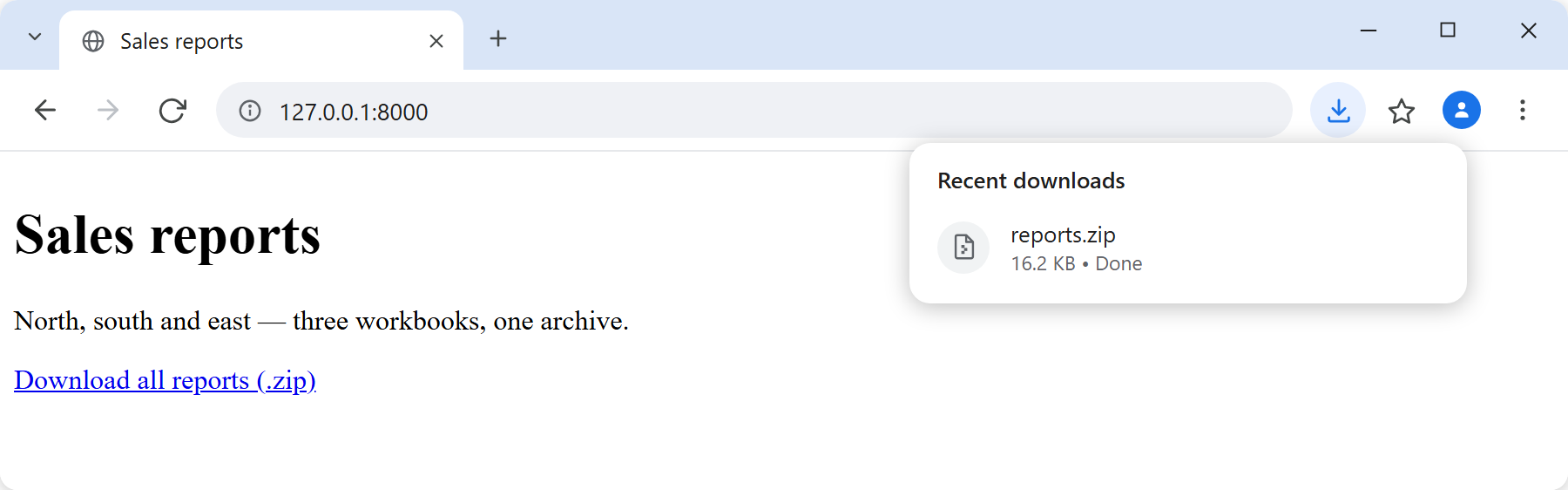
Clicking the link delivers the Excel files as one ZIP: a single reports.zip, no matter how many workbooks went into it. Because Content-Length was sent, the size is known before the transfer begins, so the download arrives as a finished archive rather than an open-ended stream:
Inside that one file are the three workbooks, each with its own named worksheet and its own rows:
$ php list-zip.php
reports.zip contains 3 files:

north-sales.xlsx   6170 bytes   sheet North  3 rows
south-sales.xlsx   6170 bytes   sheet South  3 rows
east-sales.xlsx    6142 bytes   sheet East   2 rows
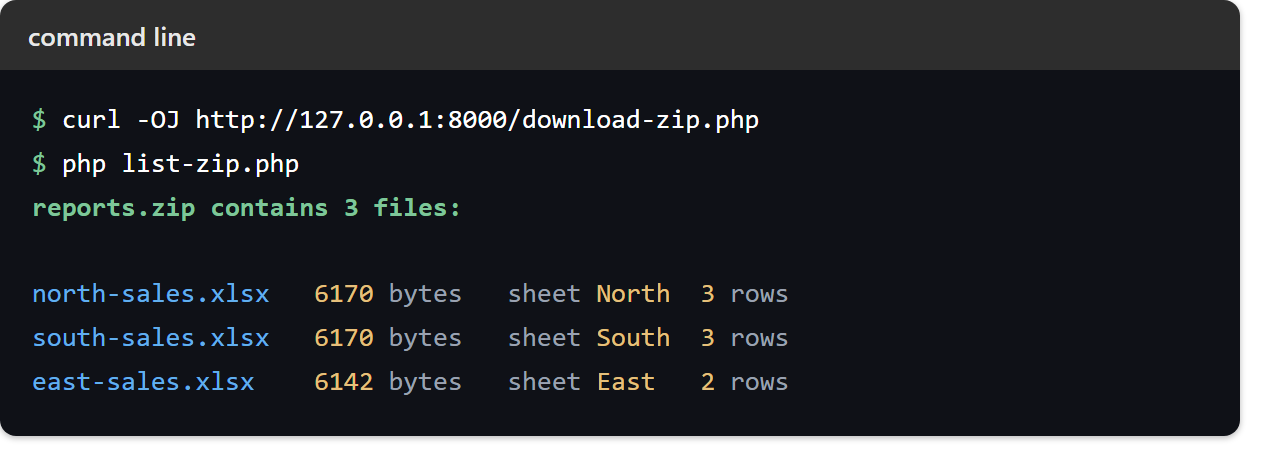
Note that the two three-row workbooks weigh exactly the same, while the two-row one is smaller. That is a useful sanity check: had the loop written the same data three times, all three sizes would match. The archive total will drift by a few bytes between runs, because every .xlsx records the moment it was created.
Meanwhile the temporary folder is gone. Because step 9 runs after readfile(), the server keeps nothing once the response has been sent.