Two columns of names that ought to match, and a reconciliation that says they do. The EXACT function is how you find out whether that answer was earned.
The equals sign is more relaxed about text than people assume. It compares the letters and ignores which case they were written in, so half the differences never surface.
For example, a supplier list checked against an invoice list agrees far too readily. So the question is not whether the two cells look the same; it is whether they are the same.
The EXACT function.
So hand it two cells and read a plain TRUE or FALSE back.
=EXACT(A2,B2)
It compares character by character, capitals included. In short, the EXACT function answers the question the equals sign only appears to answer, which is why it exists as a separate function at all.
Numbers are not its business. Therefore =EXACT(1.5,1.5) returns TRUE as you would expect, and the interesting cases are all text, where case and spacing carry meaning.
The equals sign ignores case.
Here is the comparison worth running once. =A3=B3 calls Smith and SMITH the same value, quite deliberately, and reports TRUE.
=EXACT(TRIM(A4),TRIM(B4))
Consequently a match built on the equals sign will happily merge two records that a database would keep apart. Strictness is the whole reason to reach for the other function.
Still, strictness cuts in both directions. A trailing space makes EXACT return FALSE on two names a human would call identical, so wrapping both sides in TRIM is usually the formula you actually want.
Result of the EXACT function.
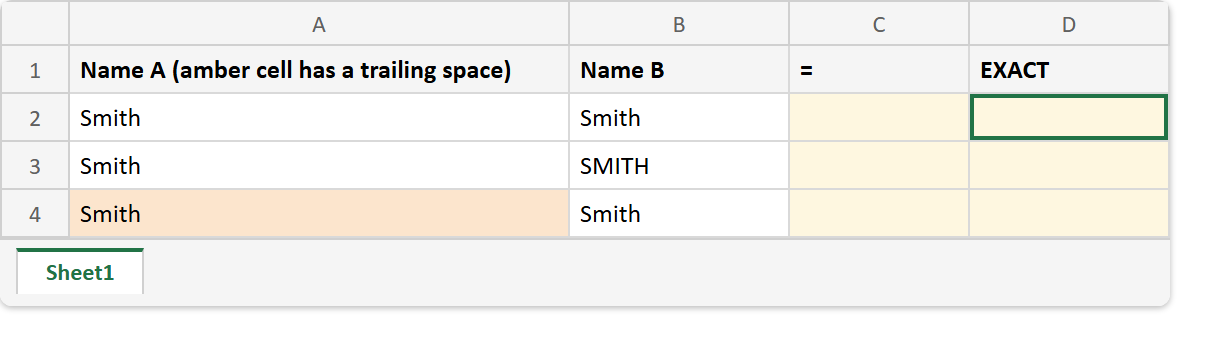
Before. Three pairs of names, with nothing compared yet.
After. The two comparisons agree on the first row and part company on the second.
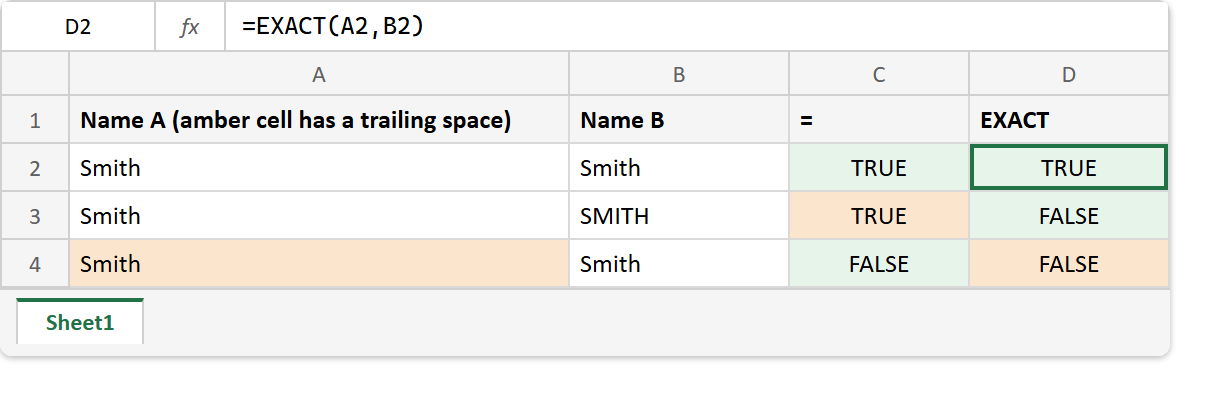
A2 / B2  ->  Smith  / Smith
A3 / B3  ->  Smith  / SMITH
A4 / B4  ->  "Smith " / Smith

=A2=B2  ->  TRUE     =EXACT(A2,B2)  ->  TRUE
=A3=B3  ->  TRUE     =EXACT(A3,B3)  ->  FALSE
=A4=B4  ->  FALSE    =EXACT(A4,B4)  ->  FALSE

=EXACT(TRIM(A4),TRIM(B4))  ->  TRUE
Read the middle row and the last row together. One is a real difference the equals sign hid, and the other is a difference nobody meant, which the same strictness dragged into the open.
The invisible one belongs to TRIM. Meanwhile PROPER is a common reason two lists disagree on case in the first place, since it rewrites capitals on its own terms.