A plain total adds every row. The SUMIF function adds only the rows that match a condition, such as one region, one product or anything above a threshold.
In fact, it is COUNTIF with a second column attached. One range is tested, another range is added up, and the two are paired row by row.
For instance, sales for the North region, hours logged by one person and invoices over a limit are all the same formula. However, the pairing is where it can go wrong without saying so.
The SUMIF function.
So give it the column to test, the condition, and the column to add.
=SUMIF(A2:A6,"North",B2:B6)
Excel walks down A2:A6, and wherever it finds North it adds the value on the same row of B2:B6. In short, the first range decides and the third range pays.
Also, the third argument is optional. Leave it out and SUMIF adds the tested cells themselves, so =SUMIF(B2:B6,">100") totals every sale above 100. The condition follows the same quoting rules as COUNTIF, wildcards included.
A short sum range is not an error.
Next, suppose the sum range starts one row too low. Nothing turns red.
=SUMIF(A2:A6,"North",B3:B6)
Excel does not check that the two ranges match. Instead it takes the top-left cell of the sum range and stretches it to the size of the test range, so every North row now adds the cell one row below it.
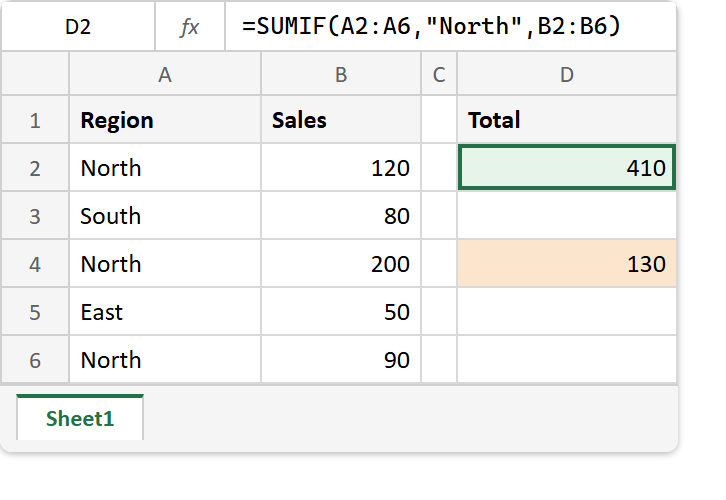
As a result, the formula returns 130 rather than 410. That is a plausible number, and plausible numbers are the ones nobody checks.
Result of the SUMIF function.
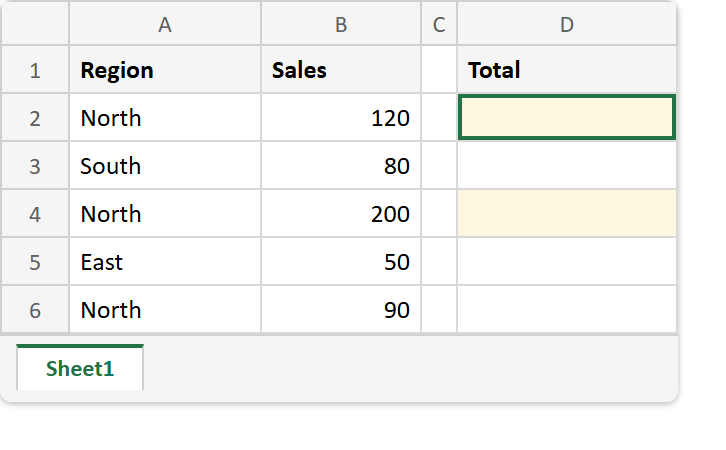
Before. Five sales across three regions, with the totals column empty.
After. The matched ranges total 410, while the shifted sum range quietly totals 130.
A2:A6  ->  North, South, North, East, North
B2:B6  ->  120, 80, 200, 50, 90

=SUMIF(A2:A6,"North",B2:B6)   ->  410    (120 + 200 + 90)
=SUMIF(B2:B6,">100")          ->  320    (120 + 200)
=SUMIF(A2:A6,"N*",B2:B6)      ->  410    (wildcard)
=SUMIF(A2:A6,"North",B3:B6)   ->  130    (80 + 50 + the empty B7)
The last line adds B3, B5 and B7, which is every row one below the rows it was meant to add. Consequently, always write both ranges with the same start and end rows.
Meanwhile, COUNTIF takes the same condition and counts instead of adding. For a total with no condition at all, see writing a SUM formula from PHP.