A column of values becomes one comma-separated line with a single formula. The TEXTJOIN function takes the separator as an argument, so it lands between every pair. One flag also decides what happens to the empty cells.
One function does the work. TEXTJOIN takes a separator, then a flag saying whether to skip empty cells. Finally comes the text — cells, literals, or a whole range in a single reference.
Every export, tag field and email “To” line is a separated list. Doing it by hand is also where the stray commas come from. One formula below covers all of it.
The TEXTJOIN function.
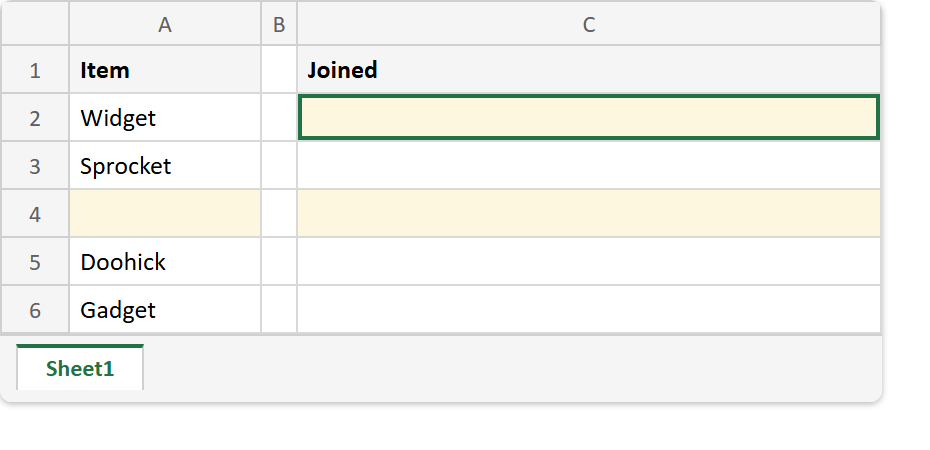
Put five values in A2:A6, leaving A4 empty, then join the column into one line.
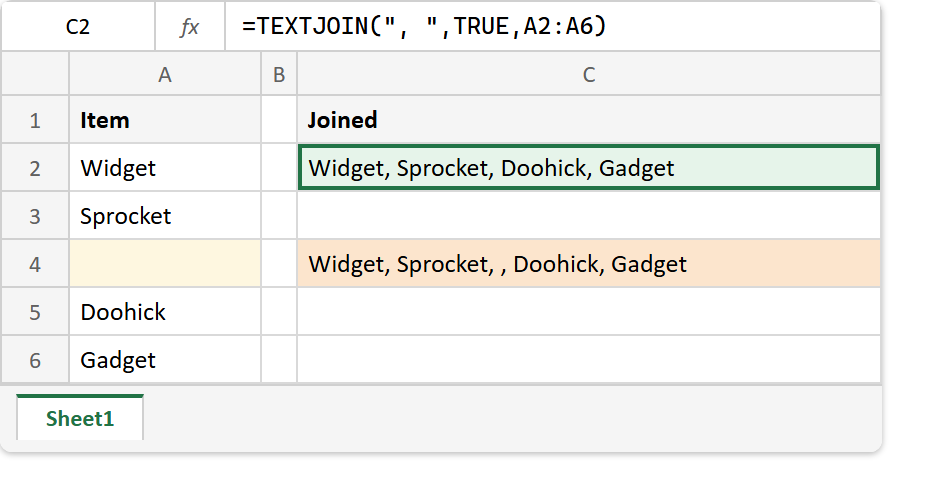
=TEXTJOIN(", ",TRUE,A2:A6)The first argument is the separator and it goes between every pair — you write it once, not once per value. That is the whole point of the function.
Any text works as the separator, not only punctuation. A space, a word such as " and ", or a line break from CHAR(10) all behave the same way. Consequently, one formula can build a comma list or a stacked address block.
The ignore_empty flag.
The second argument is the one that matters. TRUE skips empty cells; FALSE keeps them.
=TEXTJOIN(", ",FALSE,A2:A6)An empty cell has no text to contribute, but it still gets its separators, so FALSE leaves a doubled comma where the gap was. Pass TRUE unless you specifically need the blanks held open.
The TEXTJOIN function also takes several ranges at once, so two columns join in a single call. Its one hard ceiling is 32,767 characters, which is the same limit a cell holds anyway.
Result of the TEXTJOIN function.
Before. Five values down column A with a deliberate gap at A4, and nothing joined yet.
After. C2 passes TRUE and C4 passes FALSE, so the gap shows up in one and not the other.
A2:A6  ->  Widget
           Sprocket
           (empty)
           Doohick
           Gadget

=TEXTJOIN(", ",TRUE,A2:A6)   ->  Widget, Sprocket, Doohick, Gadget
=TEXTJOIN(", ",FALSE,A2:A6)  ->  Widget, Sprocket, , Doohick, Gadget
The second line is the doubled separator, and it is the reason a list built this way sometimes arrives with a hole in it.
For two cells and one space there is nothing to skip and no separator to repeat, and CONCAT is the shorter formula.