This article shows how to read an Excel file with the latest version of PhpSpreadsheet and convert it into a well-formed XML document using plain PHP. The first row of the spreadsheet is treated as the header, so each column name becomes an XML element and every data row becomes a <user> record — a shape you can feed to any system that speaks XML.
PhpSpreadsheet does the reading and PHP’s built-in XMLWriter does the writing. IOFactory::load() opens the file and toArray() pulls every cell into a two-dimensional array; from there array_shift() lifts off the header row and array_combine() maps it onto each remaining row. XMLWriter then streams the document: startElement() and endElement() open and close tags, writeAttribute() adds attributes, and writeElement() writes a child element — escaping &, < and > for you so the output stays valid.
Building XML by hand with string concatenation is where escaping bugs come from: one stray & in a name and the document will not parse. Letting XMLWriter emit the markup removes that whole class of problem, and the same pattern adapts to your own columns by changing which fields become attributes and which become child elements.
Requirements to convert Excel to XML:
- Composer
- PHP 8.2 or newer
Step 1.
First, set up the dependencies. Here we pin the latest major release of PhpSpreadsheet (the 5.x line).
{
    "require": {
        "phpoffice/phpspreadsheet": "^5.0"
    }
}
Step 2.
Next, install phpspreadsheet.
$ composer install
Step 3.
Then create a new PHP file. Load Composer’s autoloader and import the IOFactory class, which reads the Excel file. XMLWriter is part of PHP itself, so it needs no use statement.
<?php

require 'vendor/autoload.php';

use PhpOffice\PhpSpreadsheet\IOFactory;
Step 4.
Load the spreadsheet and read every row into a plain PHP array. Take the first row as the list of headers — those column names become the XML element names.
$spreadsheet = IOFactory::load('data.xlsx');
$rows = $spreadsheet->getActiveSheet()->toArray();

// The first row holds the column names.
$headers = array_shift($rows);
Step 5.
Create an XMLWriter, tell it to write into memory, and turn on indentation so the output is readable. Then open the document and the root <users> element.
$xml = new XMLWriter();
$xml->openMemory();
$xml->setIndent(true);
$xml->setIndentString('    ');

$xml->startDocument('1.0', 'UTF-8');
$xml->startElement('users');
Step 6.
Loop over the rows. Combine each with the headers, then write a <user> element: the id travels as an attribute, and the remaining fields as child elements. writeAttribute() and writeElement() escape special characters, so a value like Admin & Editor is emitted safely.
foreach ($rows as $row) {
    $record = array_combine($headers, $row);

    $xml->startElement('user');
    $xml->writeAttribute('id', (string) $record['id']);

    foreach (['name', 'role'] as $field) {
        $xml->writeElement($field, (string) $record[$field]);
    }

    $xml->endElement(); // </user>
}
Step 7.
Close the root element and the document, then write the finished XML to disk with outputMemory() and file_put_contents().
$xml->endElement();   // </users>
$xml->endDocument();

file_put_contents('output.xml', $xml->outputMemory());
echo "Done. Wrote " . count($rows) . " records to output.xml\n";
Complete code to convert Excel to XML.
<?php

require 'vendor/autoload.php';

use PhpOffice\PhpSpreadsheet\IOFactory;

$spreadsheet = IOFactory::load('data.xlsx');
$rows = $spreadsheet->getActiveSheet()->toArray();
$headers = array_shift($rows);

$xml = new XMLWriter();
$xml->openMemory();
$xml->setIndent(true);
$xml->setIndentString('    ');

$xml->startDocument('1.0', 'UTF-8');
$xml->startElement('users');

foreach ($rows as $row) {
    $record = array_combine($headers, $row);

    $xml->startElement('user');
    $xml->writeAttribute('id', (string) $record['id']);

    foreach (['name', 'role'] as $field) {
        $xml->writeElement($field, (string) $record[$field]);
    }

    $xml->endElement(); // </user>
}

$xml->endElement();   // </users>
$xml->endDocument();

file_put_contents('output.xml', $xml->outputMemory());
echo "Done. Wrote " . count($rows) . " records to output.xml\n";
Test converting Excel to XML.
Command line testing.
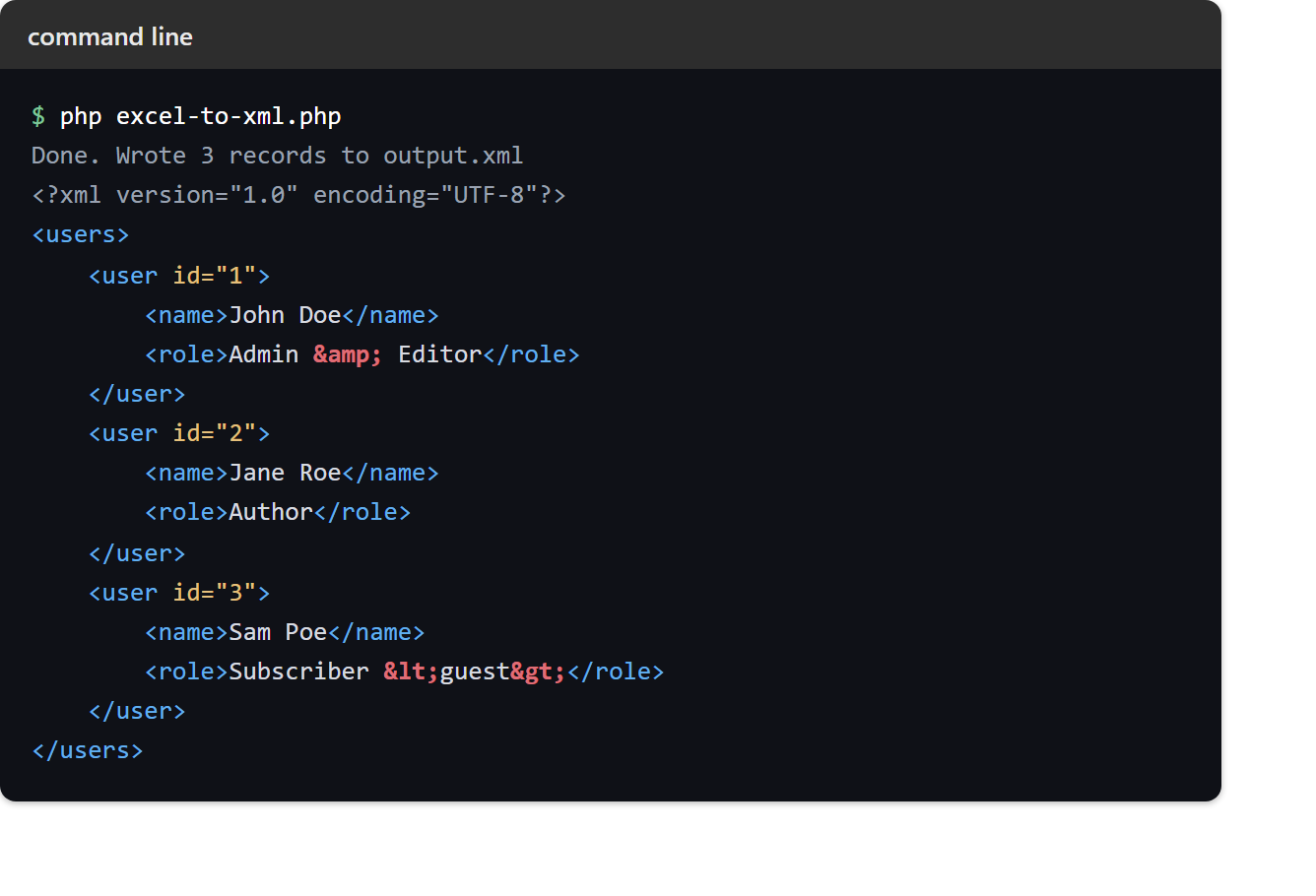
$ php excel-to-xml.php
Result of converting Excel to XML.
Given an Excel file (data.xlsx) whose first row is id, name, role, the script writes the following well-formed XML to output.xml. Note how Admin & Editor and Subscriber <guest> come through correctly escaped as & and <guest>:
<?xml version="1.0" encoding="UTF-8"?>
<users>
    <user id="1">
        <name>John Doe</name>
        <role>Admin & Editor</role>
    </user>
    <user id="2">
        <name>Jane Roe</name>
        <role>Author</role>
    </user>
    <user id="3">
        <name>Sam Poe</name>
        <role>Subscriber <guest></role>
    </user>
</users>