Project plans, invoice terms and leave requests all care about working days, not calendar days. The NETWORKDAYS function counts the weekdays between two dates and skips Saturdays and Sundays for you.
In fact, it can skip public holidays as well, as long as you give it a list of them.
However, its count rarely matches a plain subtraction of the two dates, even across a single week. That difference is deliberate, and worth understanding before you trust either number.
The NETWORKDAYS function.
So give it a start date and an end date.
=NETWORKDAYS(A2,B2)
From Monday 28 Sep 2026 to Friday 2 Oct 2026 it returns 5. Also, a third argument takes a range of holidays, so =NETWORKDAYS(A3,B3,E2) drops any date listed in E2 as well.
For a different weekend, NETWORKDAYS.INTL takes a weekend code instead. For example, code 7 treats Friday and Saturday as the days off.
Both ends of the range count.
Next, compare it with a simple subtraction over the same week.
=B2-A2
That gives 4, one fewer than the NETWORKDAYS function. Subtraction measures the gap between the dates, while NETWORKDAYS counts the days themselves, and it includes both the start and the end.
So a job that starts on Monday and finishes on Friday takes 5 working days, which is the answer most people want. Just do not mix the two methods in one sheet.
Also, the order matters. Put the later date first and the NETWORKDAYS function returns a negative count, -5 here, rather than an error.
Result of the NETWORKDAYS function.
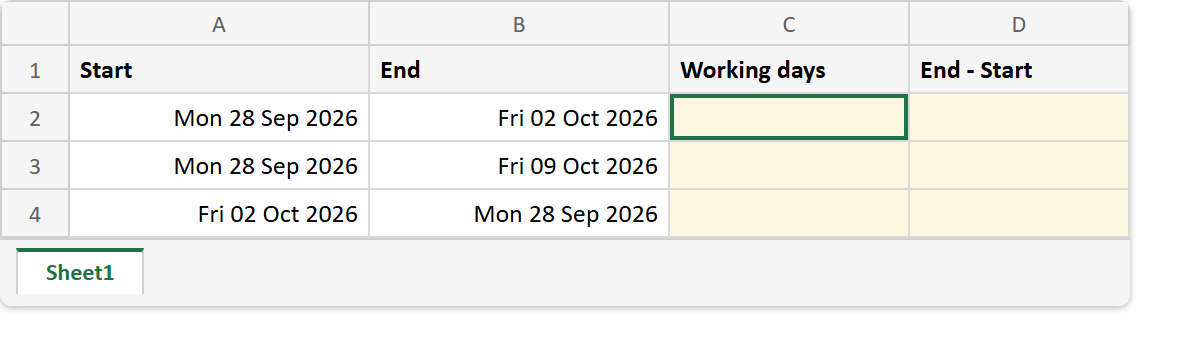
Before. Three date ranges, the last one entered backwards.
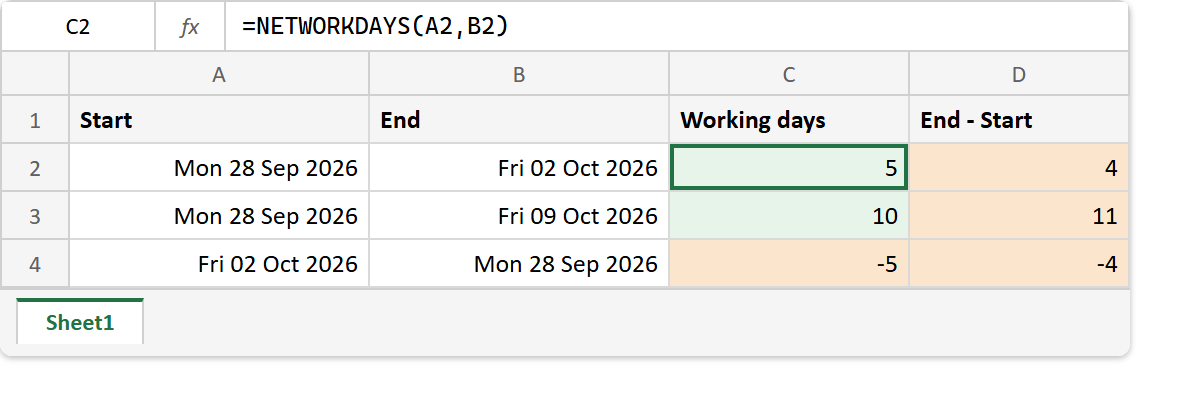
After. Working days beside the plain subtraction, disagreeing on every row.
A2 -> Mon 28 Sep 2026    B2 -> Fri 02 Oct 2026
A3 -> Mon 28 Sep 2026    B3 -> Fri 09 Oct 2026
A4 -> Fri 02 Oct 2026    B4 -> Mon 28 Sep 2026
E2 -> Mon 05 Oct 2026    (a holiday)

=NETWORKDAYS(A2,B2)      ->  5     =B2-A2  ->  4
=NETWORKDAYS(A3,B3)      ->  10    =B3-A3  ->  11
=NETWORKDAYS(A3,B3,E2)   ->  9     (holiday removed)
=NETWORKDAYS(A4,B4)      ->  -5    (dates reversed)
Row 3 is the two-week case. Subtraction says 11 because it counts the weekend in the middle, while NETWORKDAYS says 10, or 9 once the holiday comes out.
For whole years and months between two dates instead, see DATEDIF. And for today’s date as the end of the range, TODAY.