Codes, country names and headings often need to be in capitals, whatever state they arrived in. The UPPER function converts every letter in a cell to upper case in one step.
In fact, it has no decisions to make, unlike PROPER. Every letter goes up, every digit and symbol stays as it was.
However, it is often used for a job it is not needed for, which is comparing two cells while ignoring case. Excel already does that on its own.
The UPPER function.
So point it at a cell and read the capitals back.
=UPPER(A2)
One argument, and the result is always text. So ada lovelace becomes ADA LOVELACE, and ALAN turing becomes ALAN TURING. In short, mixed input comes out uniform.
Also, LOWER is the exact opposite. =LOWER(A2) brings every letter down, which suits email addresses and usernames. Even =UPPER(123) returns text, so the digits it gives back no longer add up.
You do not need it to compare.
Next, a common habit is to capitalise both sides before comparing them.
=UPPER(A2)=UPPER(B2)
It works, but it does nothing extra. The equals sign in Excel already ignores case, so =A2=B2 returns TRUE for ada lovelace and ADA LOVELACE without any help.
Conversely, when case must count, the equals sign is the wrong tool entirely. For that, use EXACT, which returns FALSE for the same pair.
Result of the UPPER function.
Before. Three names typed three different ways.
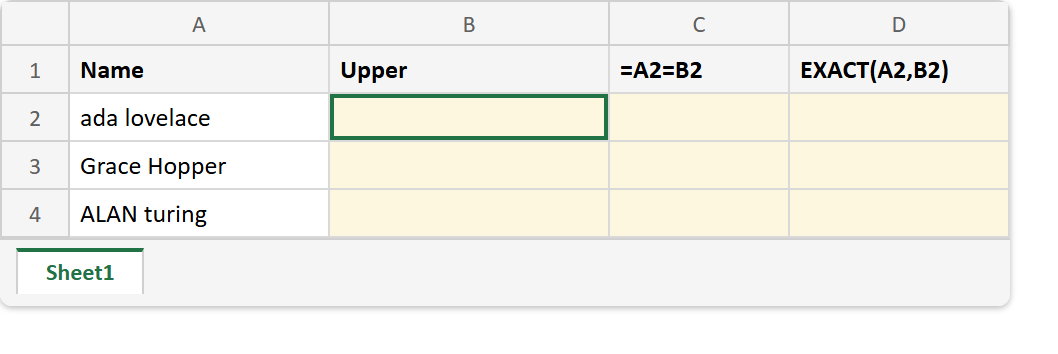
After. Every name in capitals, the equals sign calling each pair a match, and EXACT disagreeing.
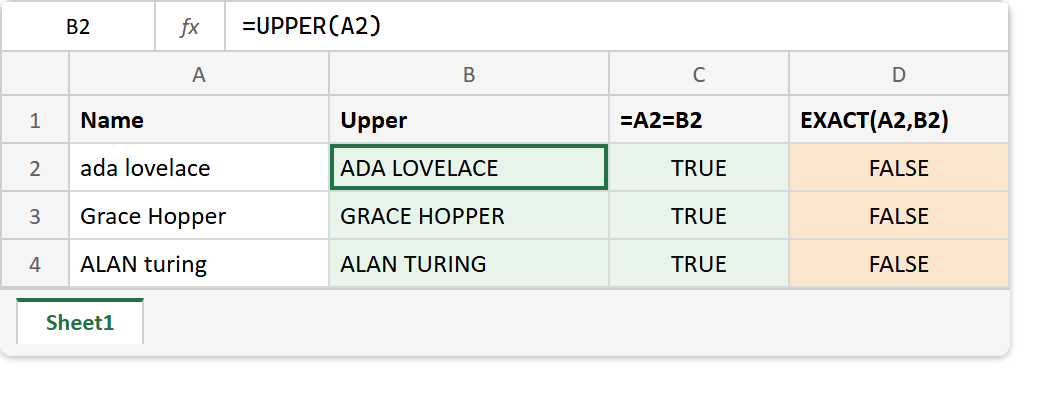
A2  ->  ada lovelace
A3  ->  Grace Hopper
A4  ->  ALAN turing

=UPPER(A2)     ->  ADA LOVELACE
=UPPER(A3)     ->  GRACE HOPPER
=UPPER(A4)     ->  ALAN TURING
=A2=B2         ->  TRUE     (case is ignored)
=EXACT(A2,B2)  ->  FALSE    (case is compared)
=LOWER(A4)     ->  alan turing
Also, the UPPER function leaves anything that is not a letter alone. Digits, spaces and punctuation come through unchanged, so a code such as ab-12 becomes AB-12 with its hyphen and numbers intact. That makes it safe to run over a mixed column of IDs.
So keep the UPPER function for display and for exports, where the capitals are the point. For comparisons that must respect case, use EXACT, and for names that want only a capital first letter, use PROPER.