This article shows how to sort rows in PHP with the latest version of PhpSpreadsheet. It starts with a correction. In fact, the first thing to know is what the library does not do. There is no $worksheet->sort() call, and there never has been. Because a worksheet is a grid of cells rather than a list of records, PhpSpreadsheet has nothing to reorder. Therefore you sort the PHP array first and write the sheet from it afterwards.
That sounds like a limitation, but in practice it is the easier route. You get usort() and the whole of PHP’s array toolkit. So multi-key sorting, natural ordering and custom comparators all come for free. Meanwhile fromArray() lays the finished order down in one call.
However, there is a real trap on the other side of this. For that reason the article does not stop at step 6. If you sort rows that are already in a sheet and write them back, the values move. Meanwhile the formatting does not. Excel’s own Sort command moves the whole row — fills, fonts, borders and all. Writing an array back over the same range moves only the values. As a result, a highlight that belonged to one record stays behind on whatever row now sits there. Below we build the sorted file first, and then we prove that behaviour rather than describe it.
Requirements to sort rows in PHP:
- Composer
- PHP 8.2 or newer
Step 1.
First, set up the dependencies. Here we pin the latest major release of PhpSpreadsheet (the 5.x line, tested with 5.9).
{
    "require": {
        "phpoffice/phpspreadsheet": "^5.0"
    }
}
Step 2.
Next, install phpspreadsheet.
$ composer install
Step 3.
Then create a new PHP file. Next, load Composer’s autoloader and import Spreadsheet and the Xlsx writer.
<?php

require 'vendor/autoload.php';

use PhpOffice\PhpSpreadsheet\Spreadsheet;
use PhpOffice\PhpSpreadsheet\Writer\Xlsx;
Step 4.
First, keep the header row separate from the data. This matters more than it looks. If the header sits inside the array you sort, usort() reorders it along with everything else. Then Region ends up somewhere in the middle. So hold it in its own variable and put it back at the front later.
$header = ['Region', 'Rep', 'Units'];
$rows = [
    ['South', 'Priya', 180],
    ['North', 'Ivy', 120],
    ['South', 'Dan', 240],
    ['North', 'Marco', 340],
    ['East', 'Lena', 90],
];
Step 5.
Next, sort the array. Here we want two keys at once — region alphabetically, then units from high to low within each region. Rather than writing a branching comparator, we compare two small arrays with the spaceship operator. <=> walks them element by element and stops at the first difference. That is exactly what a multi-key sort means. Also note the minus sign on $a[2]. Negating a number flips one key to descending, while the others stay ascending.
// Region A-Z, then Units high to low. Comparing two arrays with <=>
// compares element by element, which is a multi-key sort in one line.
usort($rows, fn($a, $b) => [$a[0], -$a[2]] <=> [$b[0], -$b[2]]);
Step 6.
Then write the sheet. Because the array is already in the order you want, fromArray() needs nothing special. The spread operator puts the header back on top, and the rows follow in sorted order.
$spreadsheet = new Spreadsheet();
$worksheet = $spreadsheet->getActiveSheet();
$worksheet->setTitle('Sales');
$worksheet->fromArray([$header, ...$rows], null, 'A1');

(new Xlsx($spreadsheet))->save('sales.xlsx');
echo "Wrote sales.xlsx\n\n";

printf("%-8s %-7s %s\n", ...$header);
foreach ($rows as $row) {
    printf("%-8s %-7s %d\n", ...$row);
}
Step 7.
Finally, the case that bites people: re-sorting rows that are already on the sheet. The mechanics are straightforward. First pull the range out with rangeToArray(), then sort it, and finally write it back over itself with fromArray().
Nevertheless, watch what happens to the bold styling we apply to row 2 first. After the sort, row 2 holds a different record, and yet the bold is still sitting on row 2. Styles belong to cells, so they never travel with the values. Excel’s Sort command does move them. That is the single biggest difference between sorting in PHP and sorting in the application. Consequently, sort before you style whenever you can.
$worksheet->getStyle('A2:C2')->getFont()->setBold(true);
$before = $worksheet->getCell('B2')->getValue();

$body = $worksheet->rangeToArray('A2:C6', null, true, false);
usort($body, fn($a, $b) => $b[2] <=> $a[2]);   // Units, high to low
$worksheet->fromArray($body, null, 'A2');

$after = $worksheet->getCell('B2')->getValue();
printf("  row 2 was %s, is now %s\n", $before, $after);
printf("  bold is still on row 2: %s\n", $worksheet->getStyle('A2:C2')->getFont()->getBold() ? 'yes' : 'no');
Complete code to sort rows in PHP.
<?php

require 'vendor/autoload.php';

use PhpOffice\PhpSpreadsheet\Spreadsheet;
use PhpOffice\PhpSpreadsheet\Writer\Xlsx;

$header = ['Region', 'Rep', 'Units'];
$rows = [
    ['South', 'Priya', 180],
    ['North', 'Ivy', 120],
    ['South', 'Dan', 240],
    ['North', 'Marco', 340],
    ['East', 'Lena', 90],
];

// Region A-Z, then Units high to low. Comparing two arrays with <=>
// compares element by element, which is a multi-key sort in one line.
usort($rows, fn($a, $b) => [$a[0], -$a[2]] <=> [$b[0], -$b[2]]);

$spreadsheet = new Spreadsheet();
$worksheet = $spreadsheet->getActiveSheet();
$worksheet->setTitle('Sales');
$worksheet->fromArray([$header, ...$rows], null, 'A1');

(new Xlsx($spreadsheet))->save('sales.xlsx');
echo "Wrote sales.xlsx\n\n";

printf("%-8s %-7s %s\n", ...$header);
foreach ($rows as $row) {
    printf("%-8s %-7s %d\n", ...$row);
}

// ---- re-sorting a sheet that already has rows ----
echo "\nRe-sorting the sheet in place:\n";

$worksheet->getStyle('A2:C2')->getFont()->setBold(true);
$before = $worksheet->getCell('B2')->getValue();

$body = $worksheet->rangeToArray('A2:C6', null, true, false);
usort($body, fn($a, $b) => $b[2] <=> $a[2]);   // Units, high to low
$worksheet->fromArray($body, null, 'A2');

$after = $worksheet->getCell('B2')->getValue();
printf("  row 2 was %s, is now %s\n", $before, $after);
printf("  bold is still on row 2: %s\n", $worksheet->getStyle('A2:C2')->getFont()->getBold() ? 'yes' : 'no');
Test sorting rows in PHP.
Command line testing.
$ php sort-rows.php
Result of sorting rows in PHP.
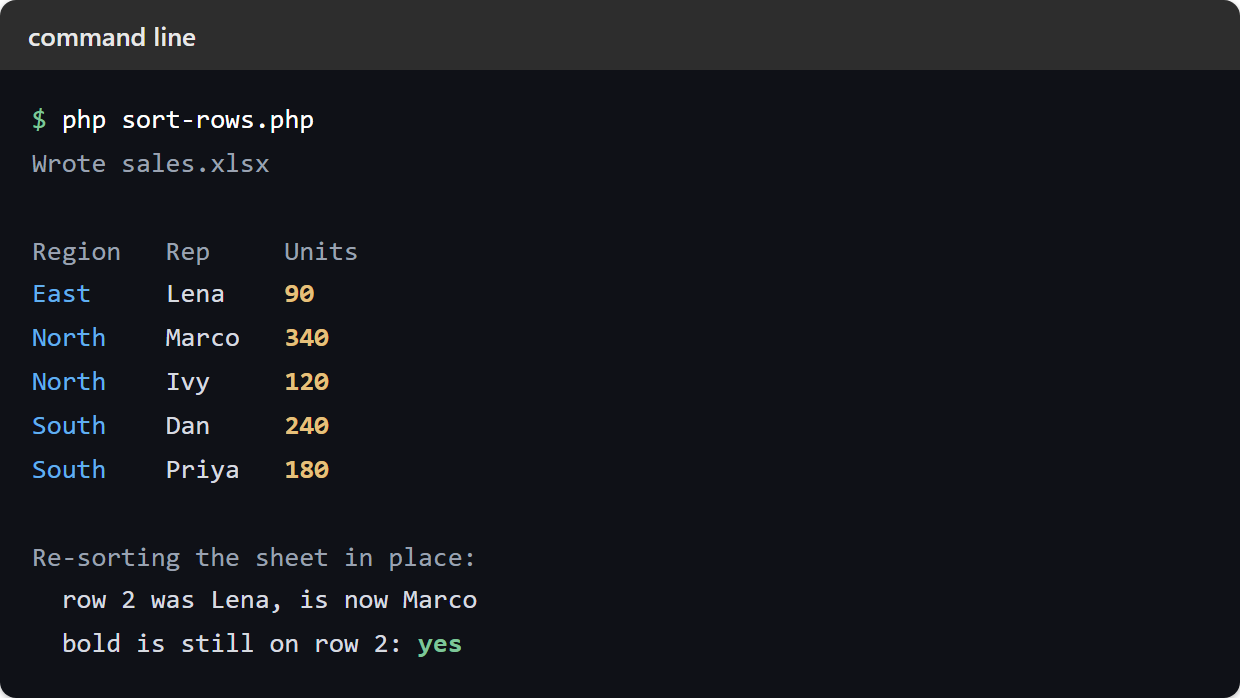
First, look at the order. East comes before North and South. Also, inside North the 340 sits above the 120, so both keys applied in one comparator. Then the second block makes the warning concrete. Row 2 held Lena before the re-sort and holds Marco afterwards. Even so, the bold never moved. The value went; the formatting stayed:
Wrote sales.xlsx

Region   Rep     Units
East     Lena    90
North    Marco   340
North    Ivy     120
South    Dan     240
South    Priya   180

Re-sorting the sheet in place:
  row 2 was Lena, is now Marco
  bold is still on row 2: yes
So the rule is short. Sort the data while it is still a PHP array, then write it once. If you must reorder a sheet that already exists, remember that only the values move. Then re-apply any row-level styling afterwards. Alternatively, hand the sorting back to the reader. In that case an auto-filter lets them sort the finished file in Excel, where the formatting follows the row.
That rule holds because PhpSpreadsheet cannot reorder a worksheet in place — the sorting has to happen before the write. A sheet can do it to itself, though, and without any code leaving the cell. Combine The FILTER Function With SORT And UNIQUE In Google Sheets composes the three into one formula that filters, de-duplicates and orders in a single pass, which is the better shape when the ordering is a view the reader wants to change rather than something you fix once at write time.