This article shows how to build one spreadsheet with the latest version of PhpSpreadsheet and save it as XLSX, XLS and ODS — modern Excel, the legacy binary format, and OpenDocument — all from the same object, using plain PHP. The point the whole library implies but rarely states outright: a Spreadsheet object is format-independent. Nothing on it is “an XLSX”; a writer decides the format only when it serialises the object.
So the code is short. You build the data and styling once, then hand the same object to Writer\Xlsx, Writer\Xls and Writer\Ods in turn, each with its own save() call. There is no conversion step and no second object — the three files are three renderings of one in-memory workbook.
What differs between them is what each format can represent. Modern .xlsx keeps everything; the 1990s-era .xls is more limited; .ods follows the OpenDocument spec. For the plain data and basic formatting below they agree, but the file sizes already show how differently each stores the same content. One ordering wrinkle in the current library is worth knowing, and the note after the result explains it.
Requirements to save XLSX, XLS and ODS:
- Composer
- PHP 8.2 or newer
Step 1.
First, set up the dependencies. Here we pin the latest major release of PhpSpreadsheet (the 5.x line).
{
    "require": {
        "phpoffice/phpspreadsheet": "^5.0"
    }
}
Step 2.
Next, install phpspreadsheet.
$ composer install
Step 3.
Then create a new PHP file. Load Composer’s autoloader and import Spreadsheet together with all three writers.
<?php

require 'vendor/autoload.php';

use PhpOffice\PhpSpreadsheet\Spreadsheet;
use PhpOffice\PhpSpreadsheet\Writer\Xlsx;
use PhpOffice\PhpSpreadsheet\Writer\Xls;
use PhpOffice\PhpSpreadsheet\Writer\Ods;
Step 4.
Build one spreadsheet with some data. Nothing here mentions a file format — it is just rows in a worksheet.
$spreadsheet = new Spreadsheet();
$worksheet = $spreadsheet->getActiveSheet();
$worksheet->setTitle('Report');

$worksheet->fromArray([
    ['Region', 'Units', 'Revenue'],
    ['North', 120, 4800],
    ['South', 90, 3600],
    ['East', 150, 6000],
], null, 'A1');
Step 5.
Add a little formatting so there is something for each format to keep — a bold header row and a currency number format on the revenue column.
$worksheet->getStyle('A1:C1')->getFont()->setBold(true);
$worksheet->getStyle('C2:C4')->getNumberFormat()->setFormatCode('$#,##0');
Step 6.
Save the same object through each writer. Save the binary .xls before the .ods — the note under the result explains why the order matters.
(new Xlsx($spreadsheet))->save('report.xlsx');
(new Xls($spreadsheet))->save('report.xls');
(new Ods($spreadsheet))->save('report.ods');
Step 7.
Print each file’s size so you can see all three landed on disk.
foreach (['report.xlsx', 'report.xls', 'report.ods'] as $file) {
    printf("%-12s %6d bytes\n", $file, filesize($file));
}
Complete code to save XLSX, XLS and ODS.
<?php

require 'vendor/autoload.php';

use PhpOffice\PhpSpreadsheet\Spreadsheet;
use PhpOffice\PhpSpreadsheet\Writer\Xlsx;
use PhpOffice\PhpSpreadsheet\Writer\Xls;
use PhpOffice\PhpSpreadsheet\Writer\Ods;

// Build ONE spreadsheet object. Nothing on it is tied to a file format.
$spreadsheet = new Spreadsheet();
$worksheet = $spreadsheet->getActiveSheet();
$worksheet->setTitle('Report');

$worksheet->fromArray([
    ['Region', 'Units', 'Revenue'],
    ['North', 120, 4800],
    ['South', 90, 3600],
    ['East', 150, 6000],
], null, 'A1');

$worksheet->getStyle('A1:C1')->getFont()->setBold(true);
$worksheet->getStyle('C2:C4')->getNumberFormat()->setFormatCode('$#,##0');

// The SAME object, saved through three writers. Binary .xls before .ods.
(new Xlsx($spreadsheet))->save('report.xlsx');
(new Xls($spreadsheet))->save('report.xls');
(new Ods($spreadsheet))->save('report.ods');

foreach (['report.xlsx', 'report.xls', 'report.ods'] as $file) {
    printf("%-12s %6d bytes\n", $file, filesize($file));
}
Test saving XLSX, XLS and ODS.
Command line testing.
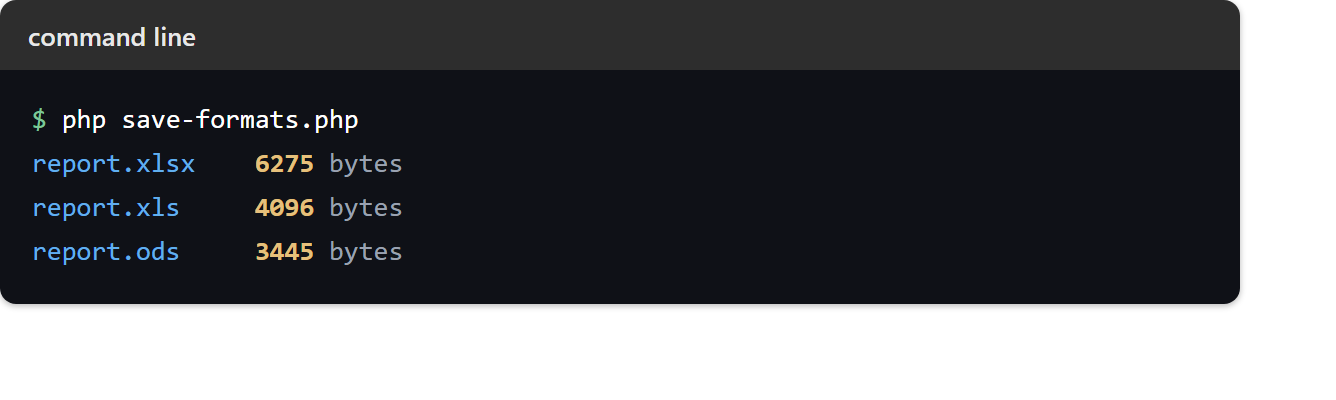
$ php save-formats.php
Result of saving XLSX, XLS and ODS.
Three files appear, one workbook rendered three ways. The same four rows and two styles cost a different number of bytes in each container:
report.xlsx    6275 bytes
report.xls     4096 bytes
report.ods     3445 bytes
Why the order matters. Saving the .ods from an object mutates that object: the ODS writer touches each text cell in a way that leaves an empty hyperlink placeholder behind. The .xls writer then walks those placeholders and trips on the empty URL, printing Uninitialized string offset 0 warnings — harmless to the file, but noise you do not want. Saving .xls before .ods avoids it, as above. If you need a different order, give each format its own freshly built (or reloaded) object instead of sharing one.