This article shows how to read formula results in Excel in PHP — the number a formula actually works out to, rather than the formula itself. Reading cell D2 of an invoice with getValue() returns the string =B2*C2 — the formula as written. To get 13.5, the number a person sees when they open the file, you have to ask PhpSpreadsheet to evaluate it. That is what this article is about.
A few methods cover the whole subject. getCalculatedValue() runs the formula through PhpSpreadsheet’s own calculation engine and returns the result, while getValue() returns the raw contents. isFormula() tells you which kind of cell you are looking at, so a loop can treat formula cells differently. getOldCalculatedValue() returns the result Excel itself cached in the file the last time it saved, with no evaluation at all. And toArray() takes a $calculateFormulas argument that applies the same choice to a whole sheet at once.
Reading formula results in Excel is one of the most common surprises in real code: a script reads a spreadsheet of totals, and every total comes back as a string starting with an equals sign. The fix is one method call, but knowing which of these four to reach for — and what happens when the engine meets a formula it does not implement — is what keeps the script working on files you did not write. It is a short article and it will save you an afternoon.
Requirements to read formula results in Excel:
- Composer
- PHP 8.2 or newer
- The
gdandzipextensions
PhpSpreadsheet 5 lists ext-gd and ext-zip as hard requirements, so composer install stops with “ext-gd is missing from your system” rather than installing if gd is off. Enable it in php.ini before step 2.
Tested with PhpSpreadsheet 5.9 on PHP 8.5.
Step 1.
Setup dependencies.
{
    "require": {
        "phpoffice/phpspreadsheet": "^5.0"
    }
}
Step 2.
Install phpspreadsheet.
$ composer install
Step 3.
Create a new PHP file. Load Composer’s autoloader and import the IOFactory class to read the file.
<?php

require 'vendor/autoload.php';

use \PhpOffice\PhpSpreadsheet\IOFactory;
Step 4.
Load the file. The sample invoice.xlsx has item, qty, price and total in row 1; column D holds =B2*C2 style formulas, and D6 holds =SUM(D2:D4).
$spreadsheet = IOFactory::load('invoice.xlsx');
$worksheet = $spreadsheet->getActiveSheet();
Step 5.
See the difference. Same cell, two methods: getValue() gives you what is written in it, getCalculatedValue() gives you what it comes to.
// The formula as written.
echo 'Raw value  : ' . $worksheet->getCell('D2')->getValue() . "\n";

// The number the formula produces.
echo 'Calculated : ' . $worksheet->getCell('D2')->getCalculatedValue() . "\n";Raw value : =B2*C2 Calculated : 13.5
Step 6.
Detect formula cells while looping. Calling getCalculatedValue() on an ordinary cell is safe — it just returns the value — so you do not have to check. But isFormula() is what you want when the two cases deserve different treatment, such as exporting formulas as formulas and everything else as data.
foreach ($worksheet->getRowIterator(2, 4) as $row) {
$cell = $worksheet->getCell('D' . $row->getRowIndex());
if ($cell->isFormula()) {
printf(
"D%d %-10s => %s\n",
$row->getRowIndex(),
$cell->getValue(),
$cell->getCalculatedValue()
);
}
}Step 7.
Read a formula that depends on other formulas. D6 is =SUM(D2:D4), and each of those cells is itself a formula. You do not have to evaluate them first or in any particular order — asking for D6 resolves the whole chain.
// =SUM(D2:D4), where D2, D3 and D4 are themselves formulas.
echo 'Grand total: ' . $worksheet->getCell('D6')->getCalculatedValue() . "\n";Complete code to read formula results in Excel.
<?php require 'vendor/autoload.php'; use \PhpOffice\PhpSpreadsheet\IOFactory; $spreadsheet = IOFactory::load('invoice.xlsx'); $worksheet = $spreadsheet->getActiveSheet(); echo 'Raw value : ' . $worksheet->getCell('D2')->getValue() . "\n"; echo 'Calculated : ' . $worksheet->getCell('D2')->getCalculatedValue() . "\n"; echo "---\n"; foreach ($worksheet->getRowIterator(2, 4) as $row) { $cell = $worksheet->getCell('D' . $row->getRowIndex()); if ($cell->isFormula()) { printf( "D%d %-10s => %s\n", $row->getRowIndex(), $cell->getValue(), $cell->getCalculatedValue() ); } } echo "---\n"; echo 'Grand total: ' . $worksheet->getCell('D6')->getCalculatedValue() . "\n";
Test reading formula results in Excel.
Command line testing.
$ php read-formulas.php
Result: the formula results read from Excel.
The raw value is the formula, the calculated value is the number, and the sum resolves through the formulas it depends on:
Raw value : =B2*C2 Calculated : 13.5 --- D2 =B2*C2 => 13.5 D3 =B3*C3 => 24 D4 =B4*C4 => 6 --- Grand total: 43.5
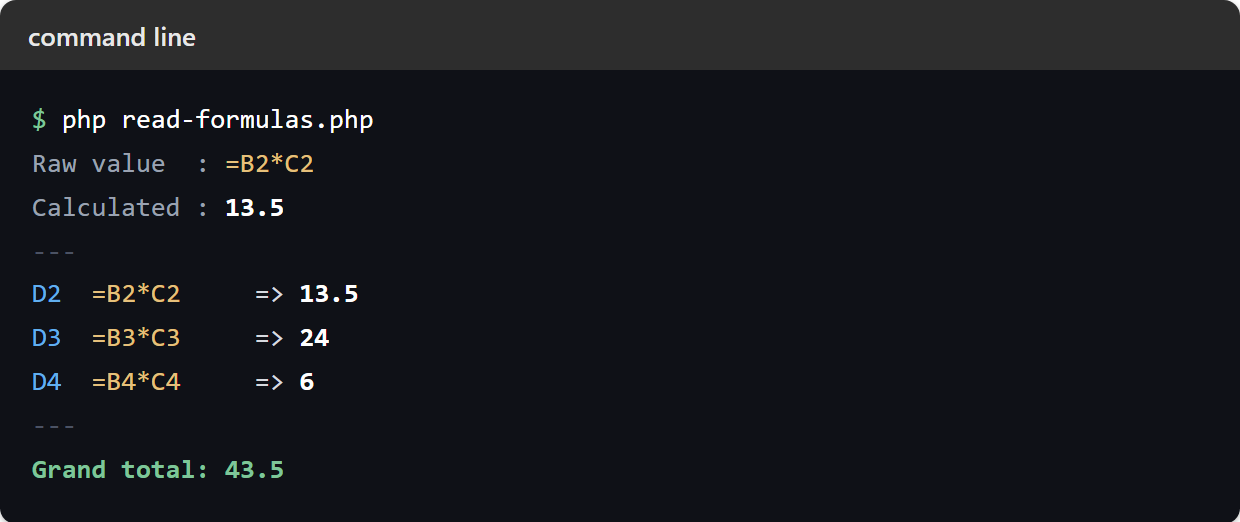
Reading all formula results in an Excel sheet at once.
toArray() takes the same decision as an argument. Its second parameter is $calculateFormulas, and it defaults to true — which is why a sheet read with toArray() already gives you numbers rather than formulas. Pass false to get the formulas instead:
// Calculated - the default.
$rows = $worksheet->toArray(null, true);
// ['Widget', 3, 4.5, 13.5]

// Raw formulas.
$rows = $worksheet->toArray(null, false);
// ['Widget', 3, 4.5, '=B2*C2']
Which you want depends on the job. Converting a sheet to JSON or loading it into a database wants the numbers. Copying a sheet into a new workbook that should stay live wants the formulas — write the calculated numbers instead and you have flattened the spreadsheet into a snapshot.
Reading the formula result Excel already cached.
Excel stores the last computed result alongside each formula, and getOldCalculatedValue() hands you that stored number without running the calculation engine at all:
echo $worksheet->getCell('D6')->getOldCalculatedValue(); // 43.5It is fast and it never fails on an unsupported function, which makes it tempting. The catch is in the name: it is the old value. It is whatever was true when the file was last saved by an application that recalculates, so it can be stale, and it is missing entirely from files written by tools that do not cache results. Treat it as an optimisation for files you trust, not as the general answer.
When the engine cannot work it out.
PhpSpreadsheet implements its own calculation engine covering several hundred of Excel’s functions — not all of them, and not the newest ones. What happens at the edges is worth knowing, because it is not what most people expect: the usual outcome is an error string, not an exception.
A formula that evaluates to an Excel error returns that error exactly as Excel writes it, as a plain string:
$worksheet->setCellValue('A2', '=1/0');
$worksheet->getCell('A2')->getCalculatedValue();  // '#DIV/0!'
And a function the engine does not implement is treated as an unknown name — the same as Excel would treat a typo — so it returns #NAME? rather than complaining that it is unsupported:
$worksheet->setCellValue('A3', '=NOSUCHFUNC(A1)');
$worksheet->getCell('A3')->getCalculatedValue();  // '#NAME?'
This is the trap. A calculated value can be a number, or it can be a string starting with #, and nothing throws to tell you which — so a script that adds up a column can quietly sum #DIV/0! as zero. Check before you trust the result:
$value = $cell->getCalculatedValue();

if (is_string($value) && str_starts_with($value, '#')) {
    // #DIV/0!, #NAME?, #VALUE!, #REF! ... - not a number.
    $value = null;
}
A Calculation\Exception is thrown for a narrower case: a formula the engine cannot even parse, such as =SUM( with its bracket missing, which fails with “Formula Error: Expecting ‘)'”. On files you did not write, catching it costs one block and stops a single malformed cell ending the run:
use \PhpOffice\PhpSpreadsheet\Calculation\Exception as CalculationException;

try {
    $value = $cell->getCalculatedValue();
} catch (CalculationException $e) {
    // Fall back to whatever Excel last cached for this cell.
    $value = $cell->getOldCalculatedValue();
}
One last case with no warning attached: a circular reference such as B1 holding =B2 while B2 holds =B1 evaluates to 0. It does not throw and it does not return an error string — the value is simply meaningless.
A note on speed.
Evaluating formulas costs time, and on a large sheet of them it can cost a lot — each call walks its dependencies. If you are reading a big file and only some columns hold formulas, read those cells with getCalculatedValue() and take the rest as plain values, rather than calling toArray() with calculation on across the whole sheet.