This article shows how to convert an Excel file to a PDF with the latest version of PhpSpreadsheet. However, PhpSpreadsheet reads the workbook but does not draw PDFs itself — instead it hands the layout to a third-party PDF engine. So we use Dompdf, which installs with one extra Composer package and needs no system libraries.
Once the renderer is installed the code is tiny. In fact, IOFactory::load() opens the Excel file, and the Writer\Pdf\Dompdf class then saves it out as a PDF. PhpSpreadsheet also ships three PDF writers — Dompdf, Mpdf and Tcpdf — and they are interchangeable: swap the writer class and the same spreadsheet renders through a different engine.
Of course, turning a spreadsheet into a PDF is what you want whenever a file is meant to be read or printed rather than edited — an invoice, a report, a statement. As a result, the spreadsheet stays the source of truth and the PDF is generated from it on demand, so grab a workbook and convert it.
Requirements to convert Excel to PDF:
- Composer
- PHP 8.2 or newer
- A PDF renderer — here
dompdf/dompdf
Step 1.
First, set up the dependencies. Then pin the latest major release of PhpSpreadsheet (the 5.x line) and add the Dompdf renderer alongside it.
{
    "require": {
        "phpoffice/phpspreadsheet": "^5.0",
        "dompdf/dompdf": "^3.1"
    }
}
Step 2.
Next, install the dependencies.
$ composer install
Step 3.
Then create a new PHP file. Also load Composer’s autoloader and import the IOFactory class and the Dompdf PDF writer.
<?php

require 'vendor/autoload.php';

use \PhpOffice\PhpSpreadsheet\IOFactory;
use \PhpOffice\PhpSpreadsheet\Writer\Pdf\Dompdf;
Step 4.
First, load the Excel file. IOFactory::load() then auto-detects the format and returns a spreadsheet object.
// Load the existing Excel file.
$spreadsheet = IOFactory::load('data.xlsx');
Step 5.
Finally, hand the spreadsheet to the Dompdf writer and save it. Because the renderer is installed, PhpSpreadsheet lays the sheet out and Dompdf turns it into the PDF file.
// Hand the spreadsheet to the Dompdf writer and save it as a PDF.
$writer = new Dompdf($spreadsheet);
$writer->save('output.pdf');

echo "Done. Converted data.xlsx to output.pdf\n";
Complete code to convert Excel to PDF.
<?php

require 'vendor/autoload.php';

use \PhpOffice\PhpSpreadsheet\IOFactory;
use \PhpOffice\PhpSpreadsheet\Writer\Pdf\Dompdf;

// Load the existing Excel file.
$spreadsheet = IOFactory::load('data.xlsx');

// Hand the spreadsheet to the Dompdf writer and save it as a PDF.
$writer = new Dompdf($spreadsheet);
$writer->save('output.pdf');

echo "Done. Converted data.xlsx to output.pdf\n";
Test converting Excel to PDF.
Now, test the script from the command line.
$ php excel-to-pdf.php
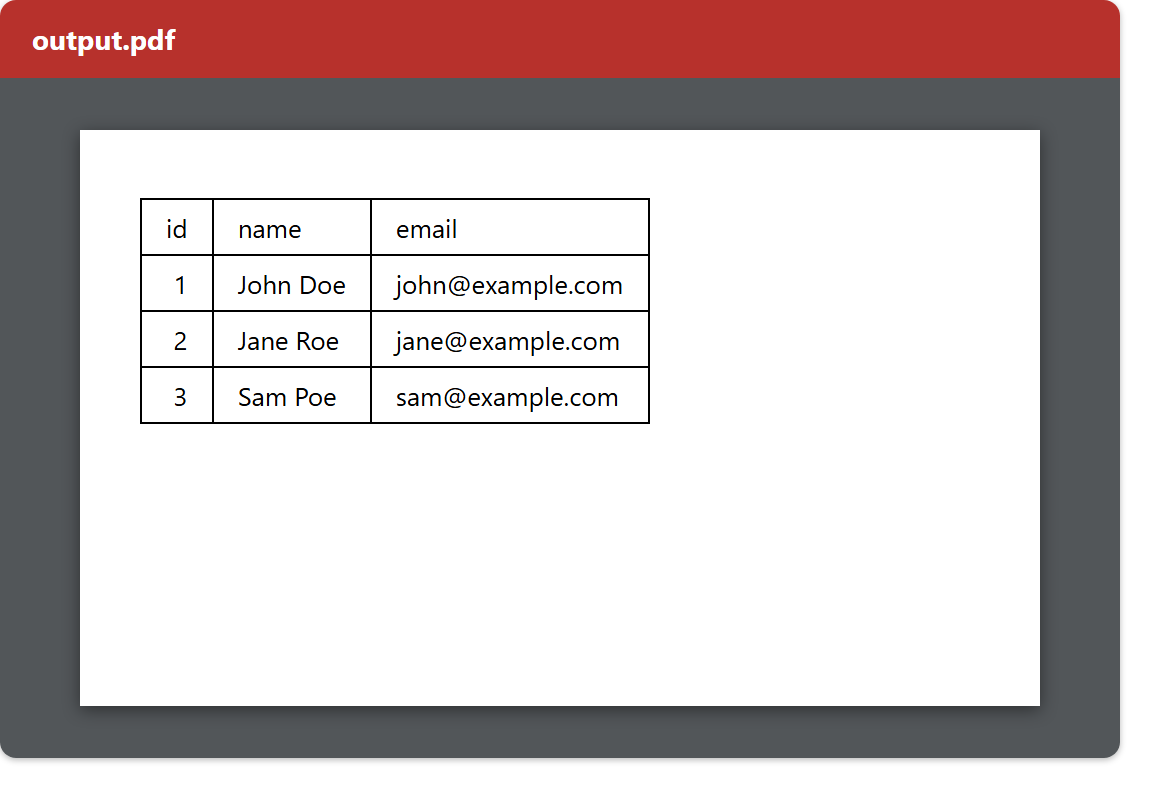
Result of converting Excel to PDF.
Once you run the script to convert Excel to PDF, it reads data.xlsx and writes output.pdf. Then opening the PDF shows the worksheet laid out as a page — the id, name and email header and its three data rows — ready to print or attach to an email.
$ php excel-to-pdf.php
Done. Converted data.xlsx to output.pdf