Dividing 7 by 3 gives 2 with 1 left over, and sometimes the 1 is the part you want. The MOD function returns that remainder. It is how a formula tells odd rows from even ones, splits seconds into minutes, or checks whether a quantity fills whole boxes.
In fact, Microsoft defines MOD through INT. Its reference gives the identity MOD(n,d) = n – d*INT(n/d), so the two functions are halves of the same division. ROW is MOD’s usual partner when the job is every second row.
However, the remainder of a negative number is where Excel parts company with most programming languages. The answer takes the sign of the divisor, not of the number. Anyone porting a formula from PHP or JavaScript therefore gets a different result without any warning.
The MOD function.
So give it the number first and the divisor second.
=MOD(A2,B2)
With 7 and 3 it returns 1, and with 10 and 4 it returns 2. Also, both sides accept decimals, so =MOD(7.5,2) returns 1.5. A divisor of 0 returns #DIV/0! like any other division by zero.
Next, use the remainder as a test.
=MOD(A2,2)=0
That returns TRUE for an even number and FALSE for an odd one. Likewise =MOD(ROW(),2)=0 is TRUE on every even row, and Microsoft’s own conditional-formatting guide uses that rule to shade alternating rows of a table.
The sign comes from the divisor.
Then divide a negative number.
=MOD(-7,3)
That returns 2, not -1. Microsoft’s reference states that the result has the same sign as the divisor, and =MOD(7,-3) returns -2 for the same reason. The identity explains it: INT rounds -7/3 down to -3, and -7 minus 3 times -3 is 2.
Meanwhile, PHP’s -7 % 3 returns -1 and 7 % -3 returns 1, because the % operator keeps the sign of the dividend. JavaScript, C and Java agree with PHP. As a result, a formula ported line for line from code is right for positive numbers and quietly wrong for negative ones. A test such as =MOD(A2,2)=-1, which looks for a negative odd number, can never be TRUE in Excel.
Result of the MOD function.
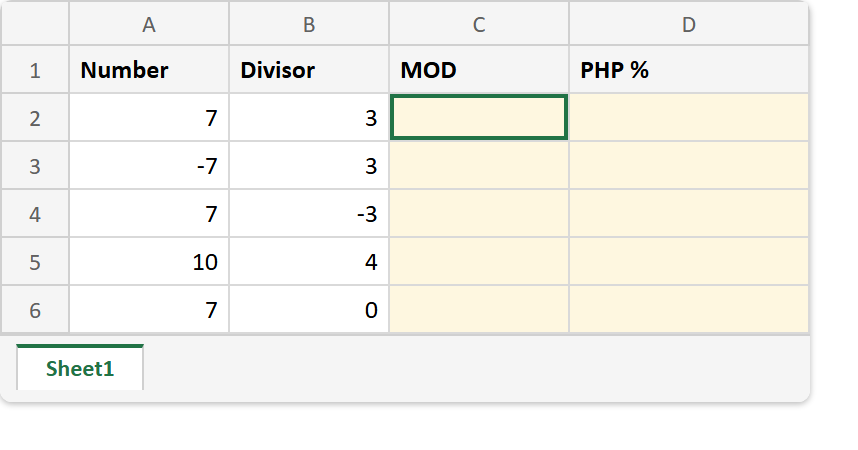
Before. Five number and divisor pairs, two of them negative, with the MOD and PHP columns empty.
After. Excel’s remainder beside the one PHP gives, agreeing on the positive rows and disagreeing on both negative ones.
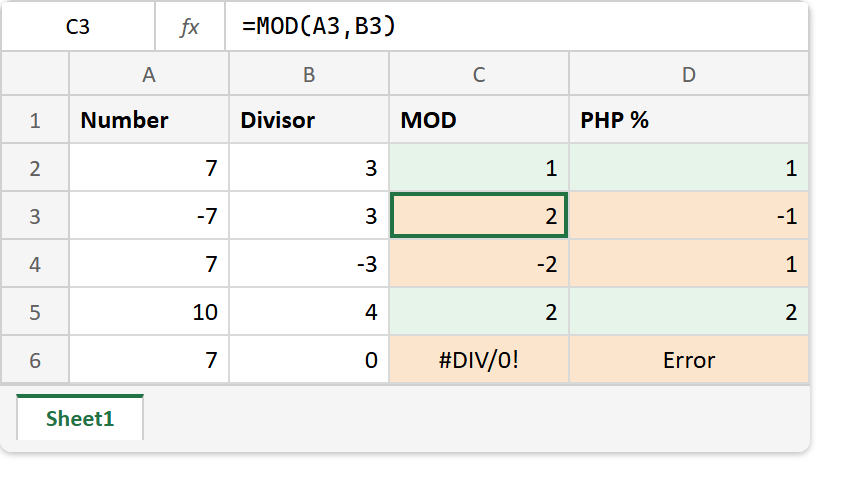
Number  Divisor   =MOD(A,B)    PHP  A % B
   7       3          1              1
  -7       3          2             -1
   7      -3         -2              1
  10       4          2              2
   7       0        #DIV/0!      DivisionByZeroError

=MOD(7.5,2)       ->  1.5
=-7-3*INT(-7/3)   ->  2      (the identity Microsoft gives)
=MOD(ROW(),2)=0   ->  TRUE on even rows
So trust MOD for the everyday remainder, and read the sign rule twice before you port one from code. The INT underneath it is a close relative of the TRUNC function. TRUNC rounds toward zero instead of down, and would therefore give the other sign.