Rotas, delivery slots and weekend surcharges all depend on which day a date falls on. The WEEKDAY function turns any date into a number from 1 to 7, one for each day of the week.
In fact, that number is what makes a day testable. You can compare it, sum it or feed it to IF, which a day name does not allow.
However, the numbering does not start where most people expect. Unless you say otherwise, the week begins on Sunday.
The WEEKDAY function.
So give it a date, and optionally a numbering scheme.
=WEEKDAY(A2)
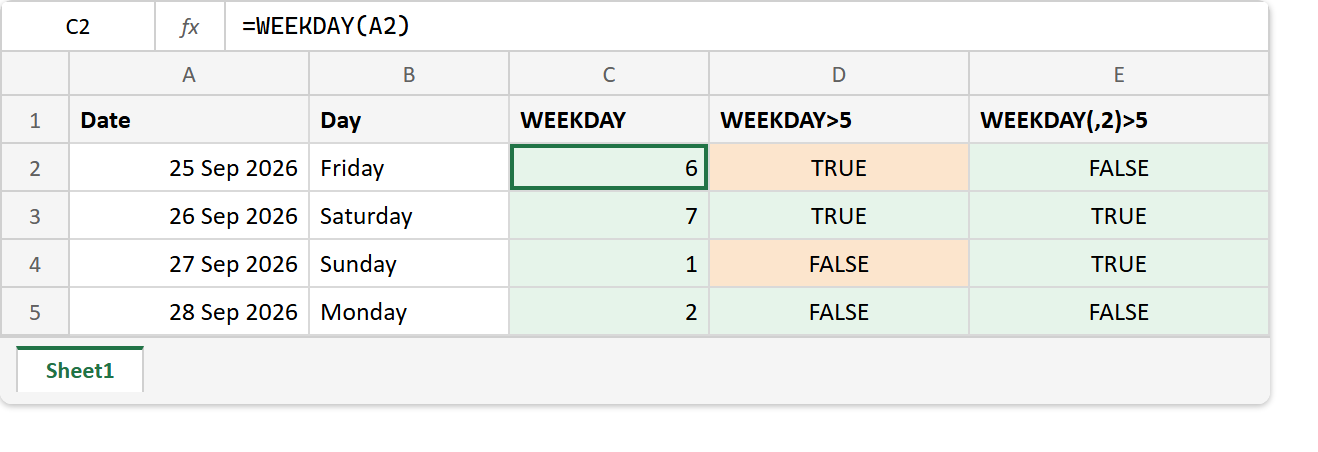
For Friday 25 Sep 2026 it returns 6. With no second argument, Sunday is 1, Monday is 2 and Saturday is 7. In short, the default follows the American calendar.
Also, the second argument changes the scheme. With 2, Monday is 1 and Sunday is 7, which is the order most of the world uses for a working week.
The weekend test that picks the wrong days.
Next, try the obvious weekend check on the default numbering.
=WEEKDAY(A2)>5
It looks right, because Saturday and Sunday are days 6 and 7 in a week that starts on Monday. Yet the default week starts on Sunday, so this test flags Friday and Saturday, and lets Sunday through.
The fix is one argument. =WEEKDAY(A2,2)>5 numbers Monday as 1, so days 6 and 7 really are Saturday and Sunday.
Result of the WEEKDAY function.
Before. Four dates from Friday to Monday.
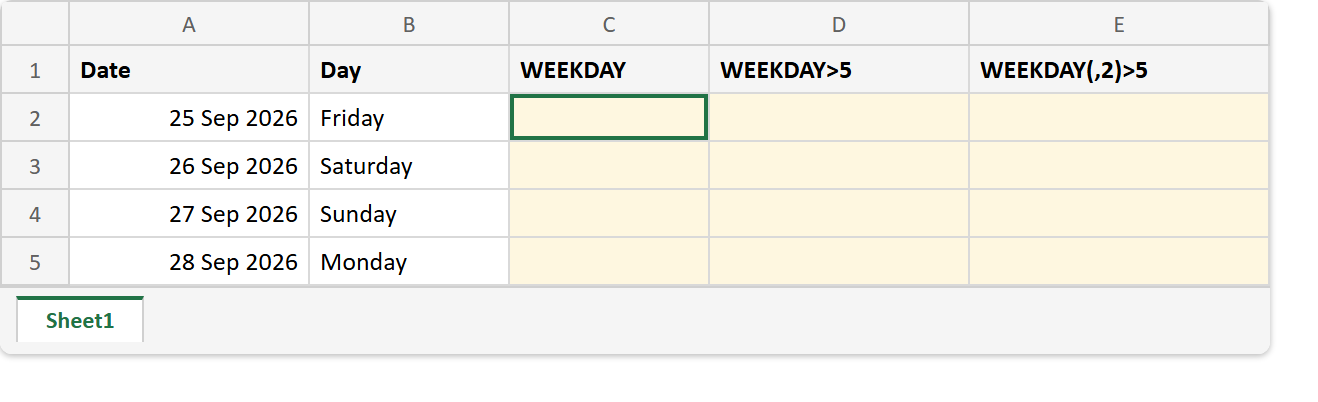
After. The default test marks Friday as a weekend and misses Sunday, while the test with type 2 gets both right.
A2 -> Fri 25 Sep 2026
A3 -> Sat 26 Sep 2026
A4 -> Sun 27 Sep 2026
A5 -> Mon 28 Sep 2026

=WEEKDAY(A2)        ->  6, 7, 1, 2              (Sunday = 1)
=WEEKDAY(A2)>5      ->  TRUE, TRUE, FALSE, FALSE
=WEEKDAY(A2,2)      ->  5, 6, 7, 1              (Monday = 1)
=WEEKDAY(A2,2)>5    ->  FALSE, TRUE, TRUE, FALSE
=TEXT(A2,"dddd")    ->  Friday
Of course, the wrong test is only wrong on two days out of seven, which is why it survives a quick check. Test it on a Friday and a Sunday before you rely on it.
Finally, when you want the day’s name rather than its number, TEXT with "dddd" is shorter. And to count only the weekdays between two dates, see NETWORKDAYS.